


Your First Reflex Build App
In this tutorial, you will create an employee dashboard, improve it through focused prompts, test the main workflow, and prepare it to share.
1. Create the App
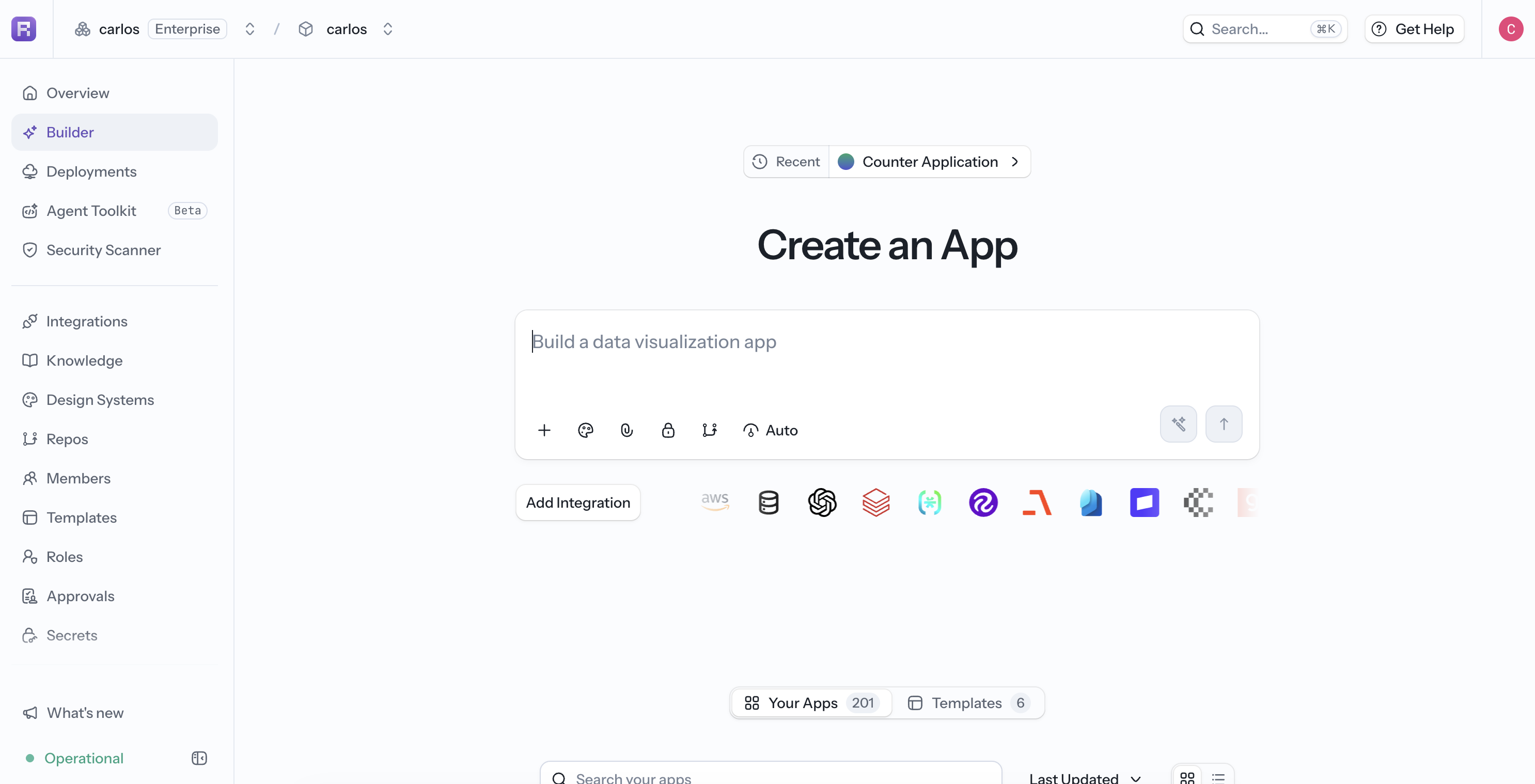
Open a project, select Builder, and start from the Your Apps tab. Enter this prompt:
Create a responsive employee dashboard. Add a table with sample employees and
columns for name, department, and salary. Below it, add a bar chart that compares
salary by employee. Use five sample employees from different departments.
Before sending the prompt, you can attach a visual reference, choose a design system, set the app visibility, or add an integration. Keep Agent Effort on Auto unless you know the task needs more or less reasoning.
2. Check the First Result
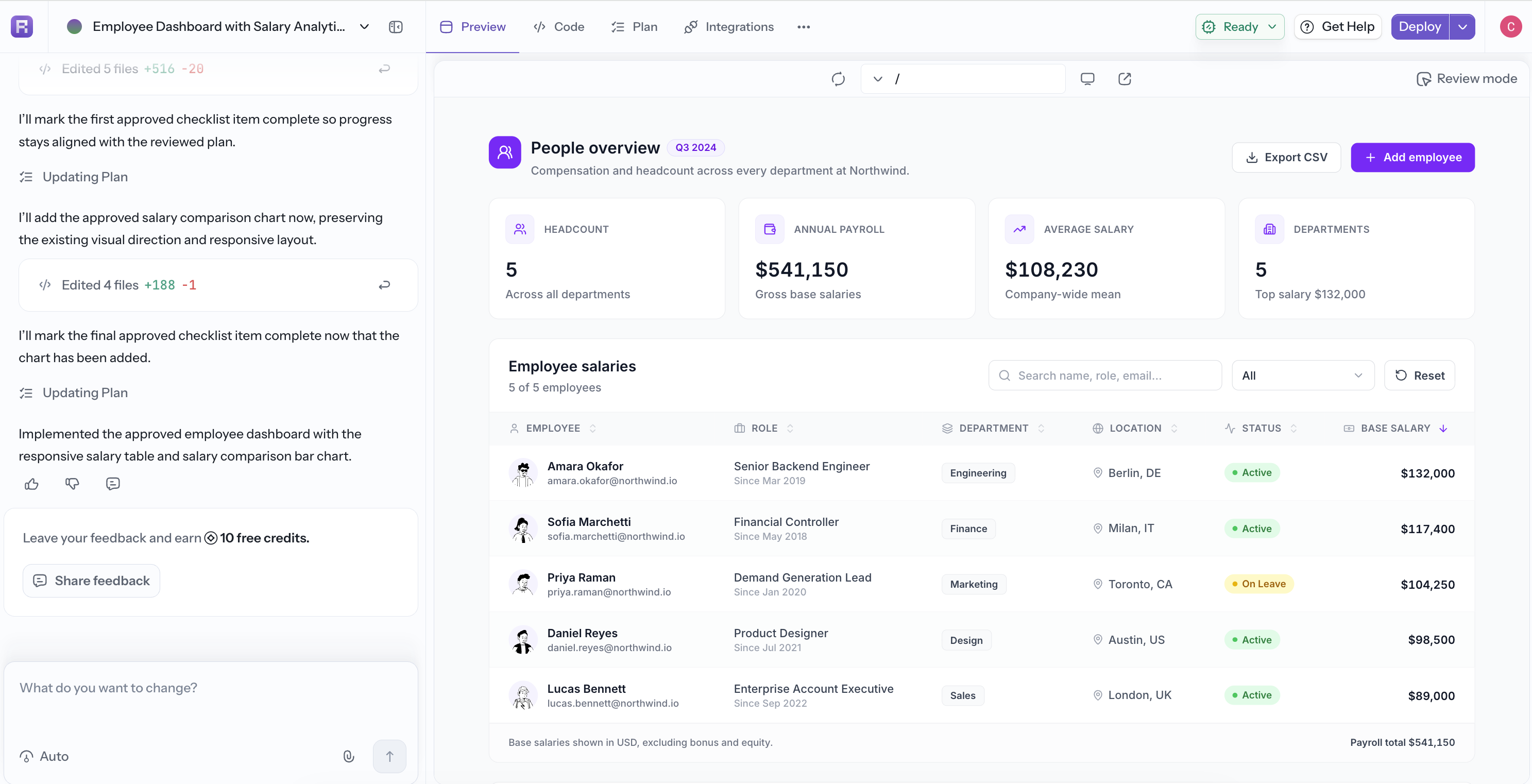
When generation finishes, use Preview to interact with the app. Check that the table and chart render and that the page works at different widths.
If the result is close, keep it and ask for one targeted improvement at a time.
3. Add Filtering
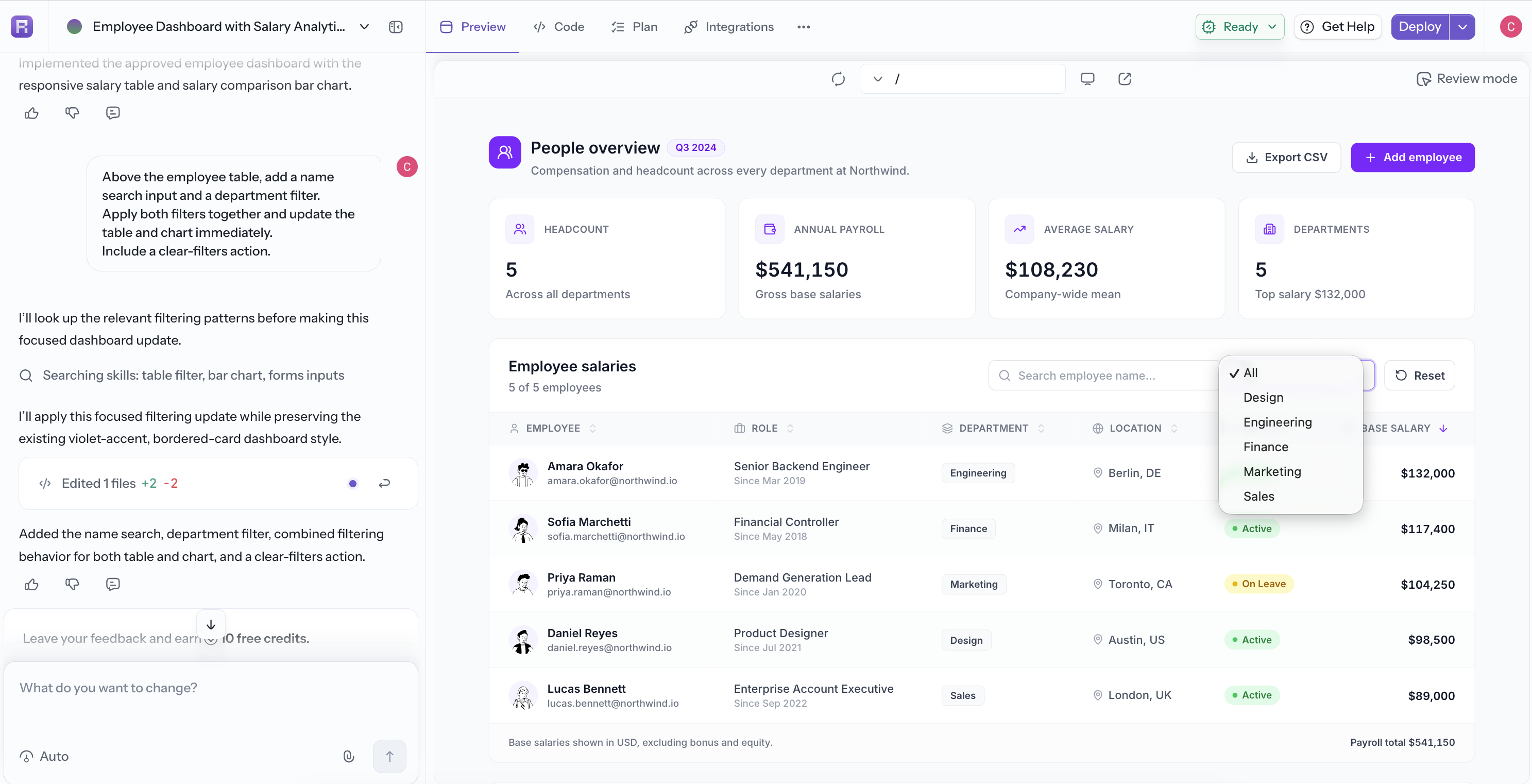
Above the employee table, add a name search input and a department filter.
Apply both filters together and update the table and chart immediately.
Include a clear-filters action.
Confirm that the table and chart stay in sync for a name search, a department selection, and the combined filters.
4. Add Employee Management
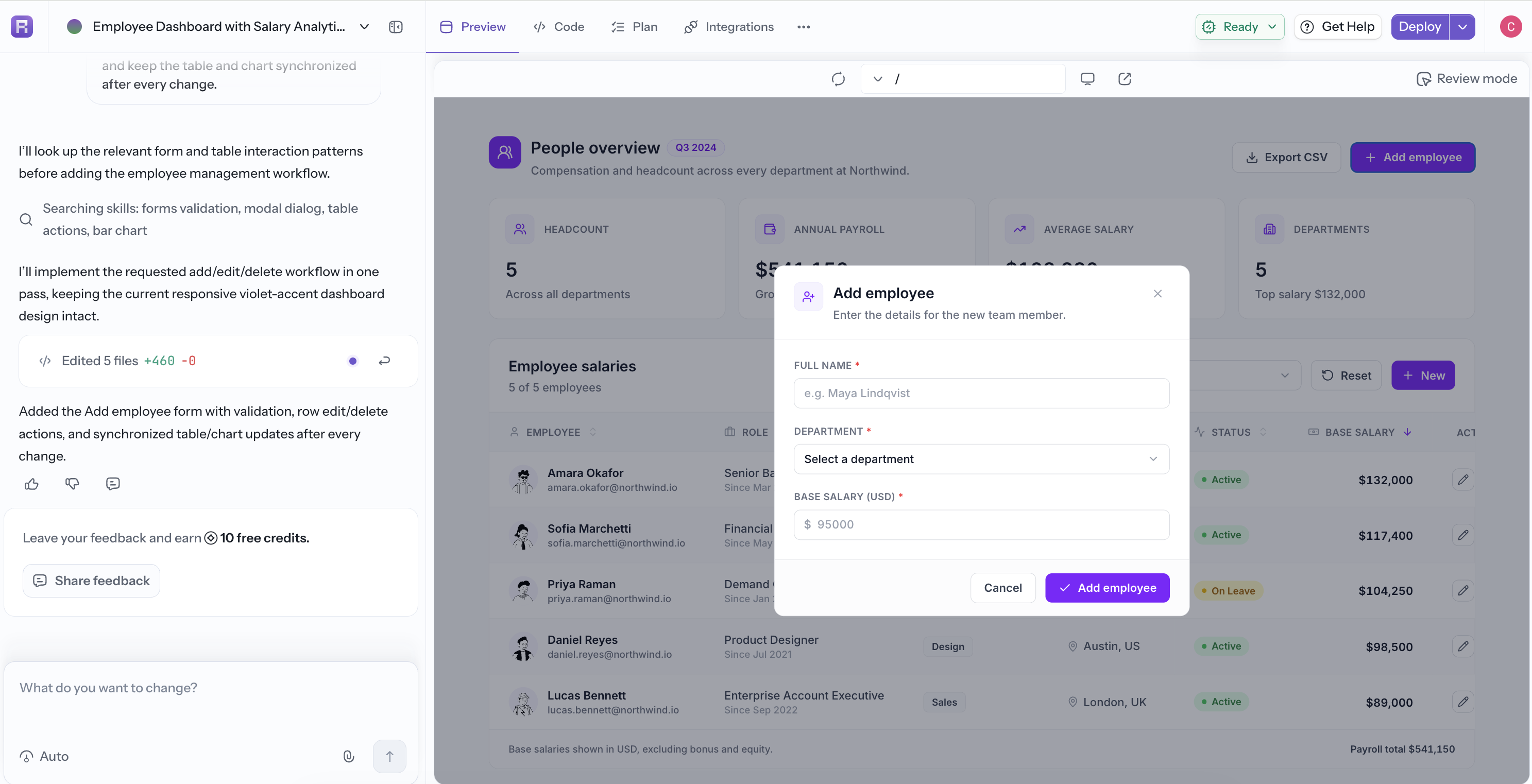
Add an "Add employee" button that opens a form for name, department, and salary.
Validate every required field. Also add edit and delete actions for each row,
and keep the table and chart synchronized after every change.
This prompt explicitly requests create, edit, and delete behavior. If the generated app uses only sample in-memory data, ask the agent to connect a database before relying on the data in production.
5. Add a Second Page
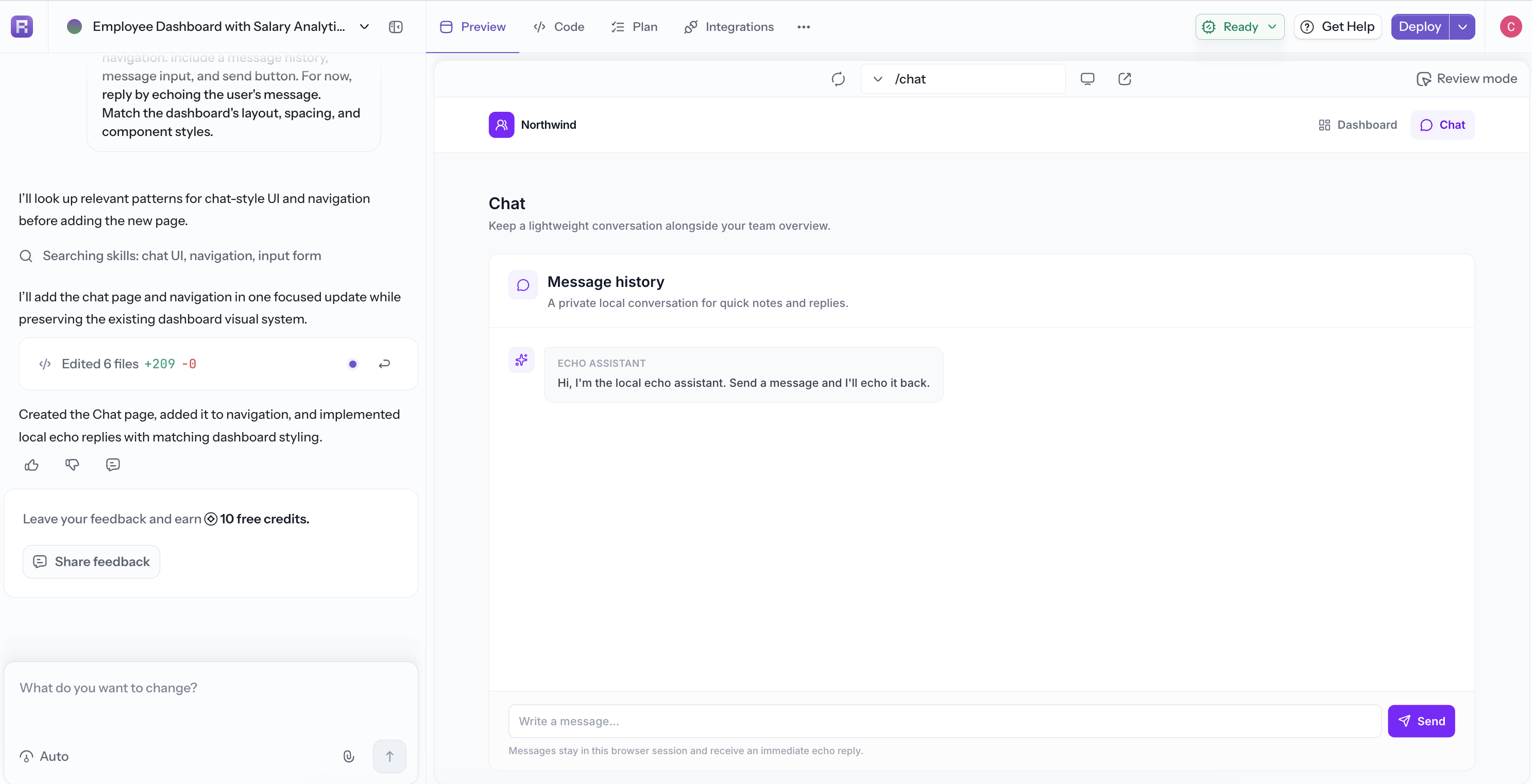
Create a Chat page and add it to the navigation. Include a message history,
message input, and send button. For now, reply by echoing the user's message.
Match the dashboard's layout, spacing, and component styles.
Use the route selector in Preview to check both pages and verify that navigation works in each direction.
6. Review the Result
Open Preview and test the result. Switch Preview to a desktop width so Review mode is available. For feedback tied to a specific visual area, select Review mode, draw around the chart spacing and title, and add a comment such as:
Keep the table behavior unchanged. Reduce the empty space above the chart and
align the chart title with the left edge of the table.
Select Send review to send the annotation and marked screenshot to the agent. Wait for the follow-up generation to finish, then check the same area again. Use a normal chat prompt for feedback that does not point to a specific UI region.
See Code and Review for the complete workflow.
7. Test the Main Workflow
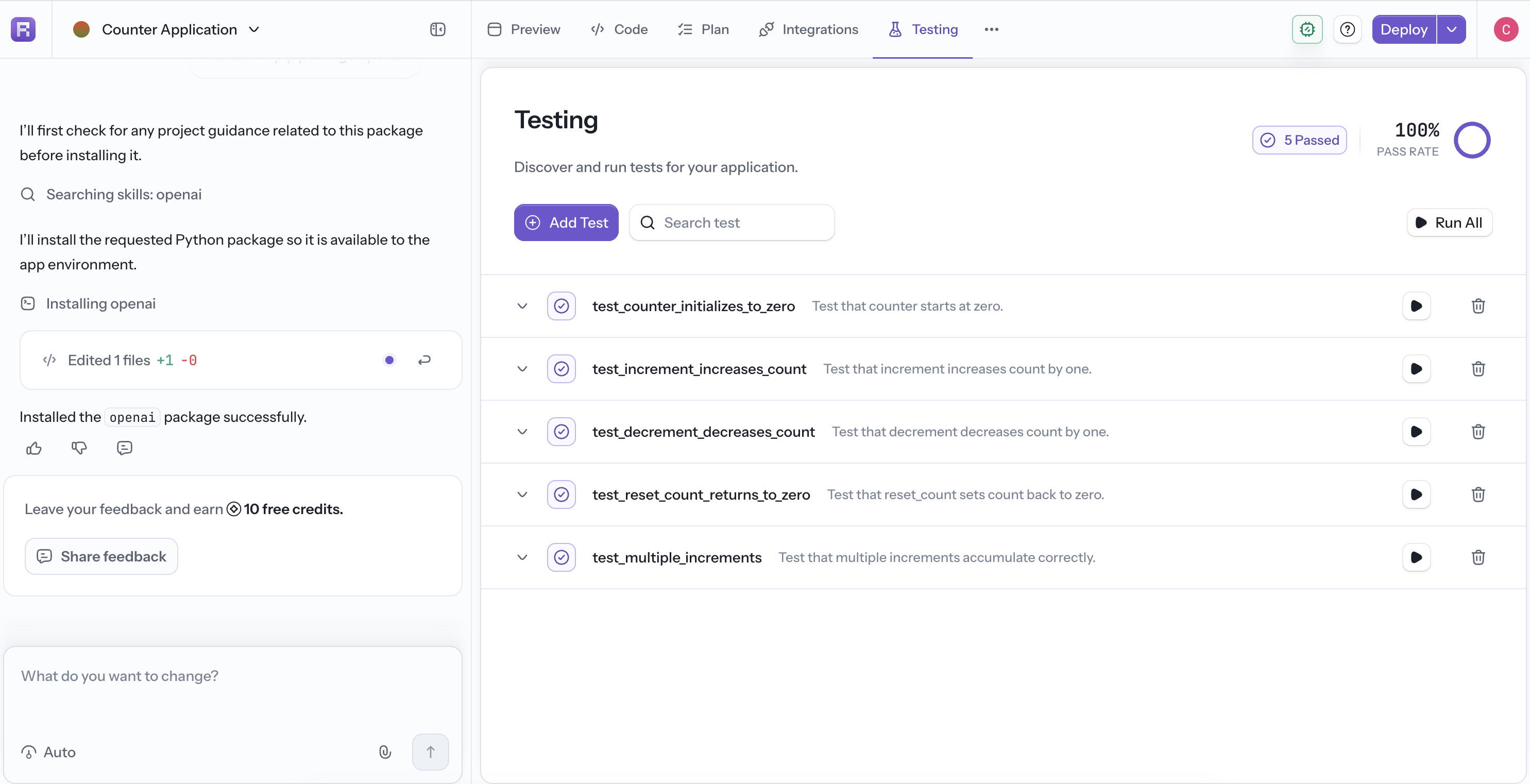
Select Testing in the app workspace and create a browser test in plain language:
Open the dashboard, search for an employee, clear the filters, add a valid
employee, edit that employee, and delete it. Verify the table and chart update
after each action.
Generate the test, run it, and use the result to fix any broken interaction. See Testing for the complete workflow.
8. Share or Deploy
Use the menu next to Deploy to copy or download the app. Public apps can also be shared with a read-only link. When the app is ready for production, select Deploy and follow the deployment steps.
You now have a useful first version and a repeatable workflow: create, preview, refine, test, and ship.