


Moving Projects & Apps
Reflex lets you move work as your team's structure changes: transfer a project to another organization, or move an app to another project.
Moving a project to another organization
You can transfer a whole project, including its apps and settings, from one organization to another. This is useful when a project outgrows a personal organization or moves between teams.
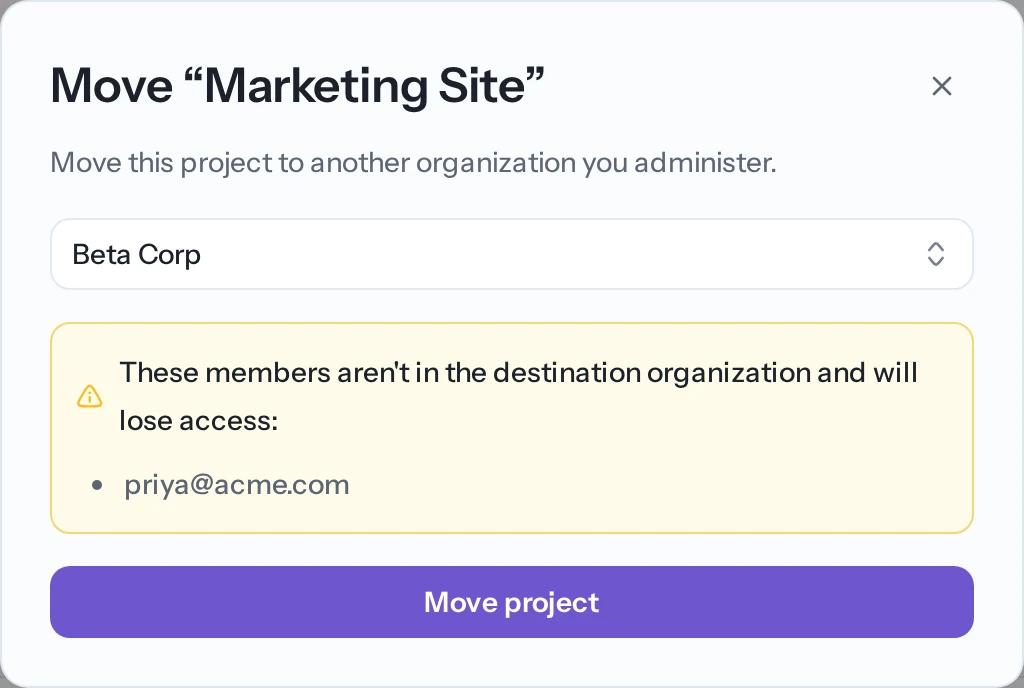
Open Settings in the project sidebar and find the Move Project card. Choose the destination organization and confirm.
What you need
You must be an admin of both organizations: the current one and the destination. If you can't move a project, the card explains why:
- You're not an admin of the project's current organization, or
- You aren't an admin of any other organization to move it into.
What happens to members
A project's members come from its current organization. When you move it, members who aren't in the destination organization lose access. Reflex lists those people before you confirm. To keep someone's access, add them to the destination organization first.
Moving an app to another project
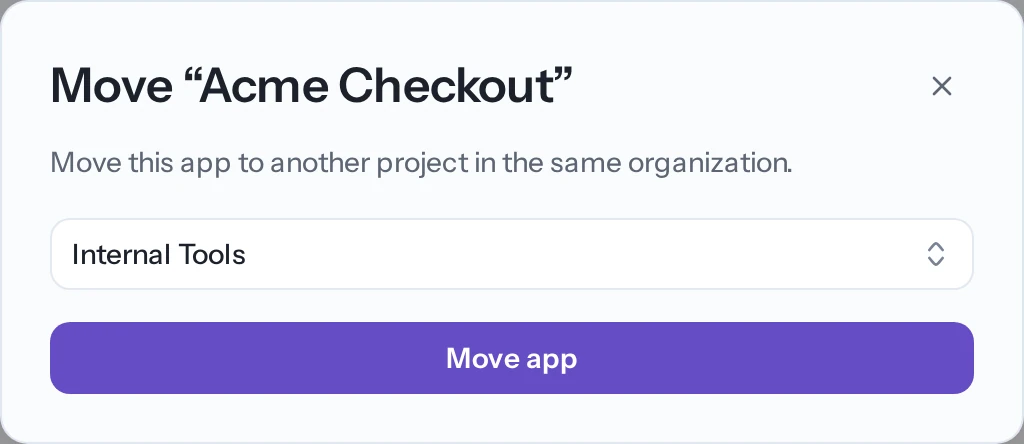
You can move an app from one project to another within the same organization, for example to group it with related apps.
In Reflex Build, open the app's options menu (the ⋯ menu on the app), choose Move app, and pick the destination project.
Notes:
- You can only move an app within the same organization. To move it across organizations, move the whole project instead.
- You need permission to create apps in the destination project.
- Integrations are connected per project, so you may need to reconnect them in the destination project after the move.
Related
- Managing project access — add members to a project before moving it.
- Members & seats — add people to the destination organization.