Descope Integration
The Descope Integration enables your app to leverage Descope’s full Customer Identity & Access Management (CIAM) features—visual authentication flows, identity management, SSO, MFA, tenant isolation, and more. Once set up, you can orchestrate secure user journeys across your application with minimal coding.
You must open your app in a new tab from the builder to test the Descope integration.
What You Can Do
With Descope Integration, your app can:
- Handle user sign-up, login, and passwordless flows seamlessly
- Enable multifactor authentication (MFA), passkeys, and social login
- Support single sign-on (SSO) via OIDC/SAML
- Manage users, roles, tenants, and permissions via management APIs
- Orchestrate onboarding, branding, and multi-tenant flows via drag-and-drop workflows
- Sync user data with tools like HubSpot or Segment via built-in connectors
Step 1: Obtain Descope Credentials
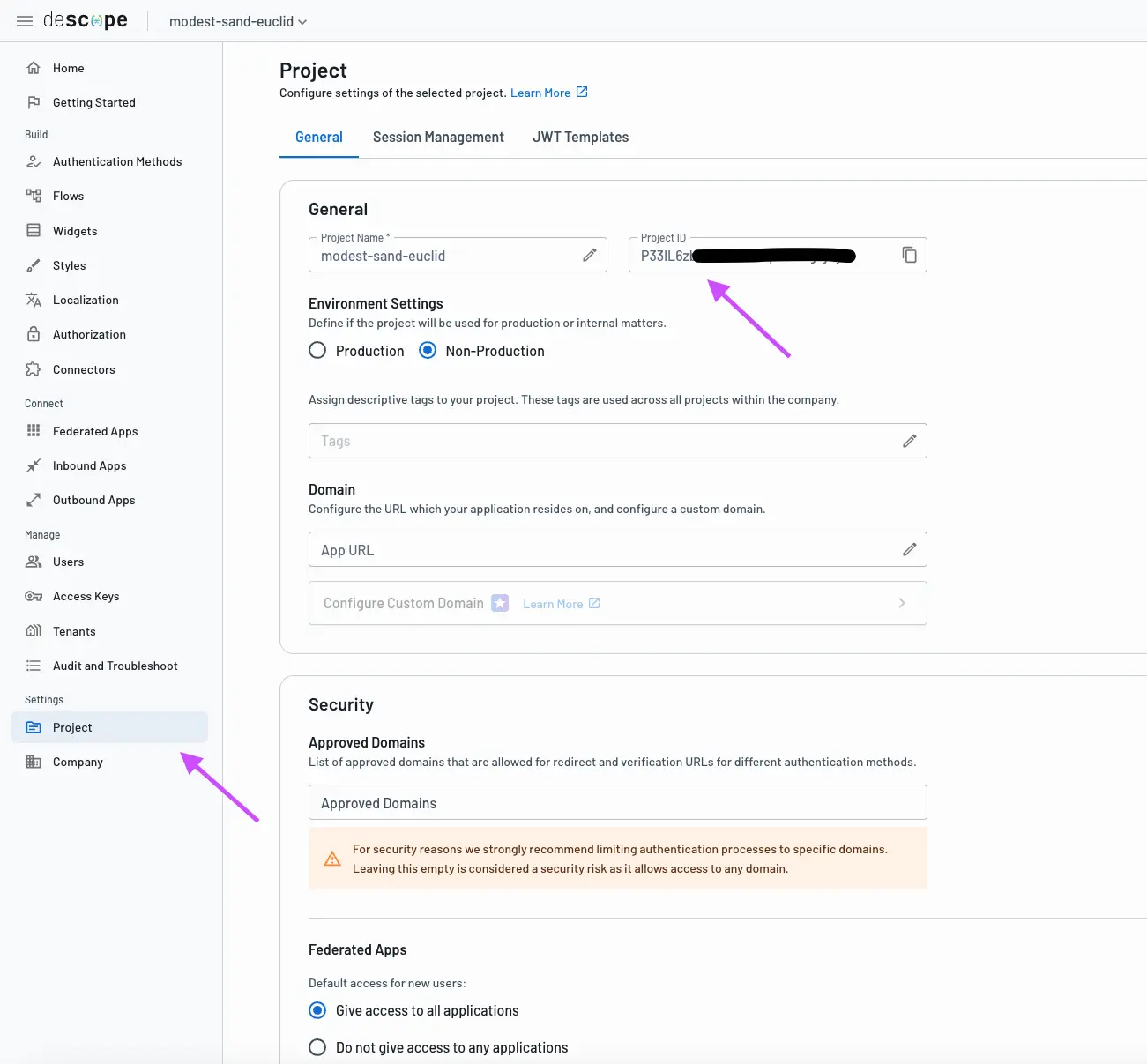
- Log in to the Descope Console (or sign up).
- Create your first Project.
- Go to the Project page under Settings.
- Copy the
Project ID.
Step 2: Configure the Integration in Your App
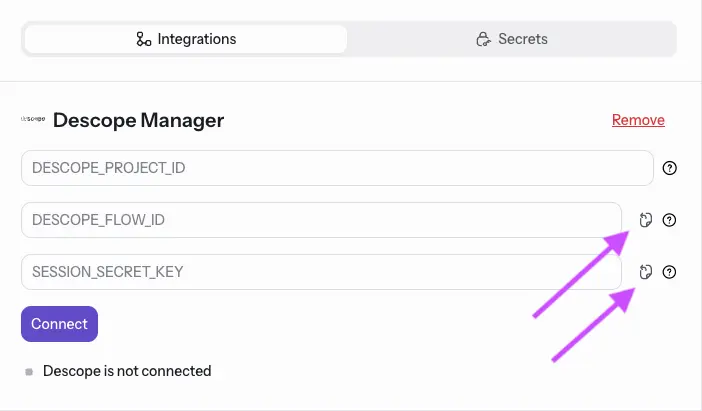
- In your app’s settings or integration dashboard, select Add Descope.
- Enter your PROJECT_ID.
- (Optional) Pick a DESCOPE_FLOW_ID (e.g. “sign-up-or-login”) and SESSION_SECRET_KEY or press the Clipboard Copy to use default values.
- Click Connect to validate credentials and enable Descope features.