


Copy App
Copying creates an independent app from an existing Reflex Build app. Use it to try a significant change without altering the original or to reuse a working starting point.
Copy an App
- Open the menu next to Deploy and select Copy. You can also use the copy action in Settings.
- Wait for the copied app to open in the current project.
- Rename it so it is easy to distinguish from the original.
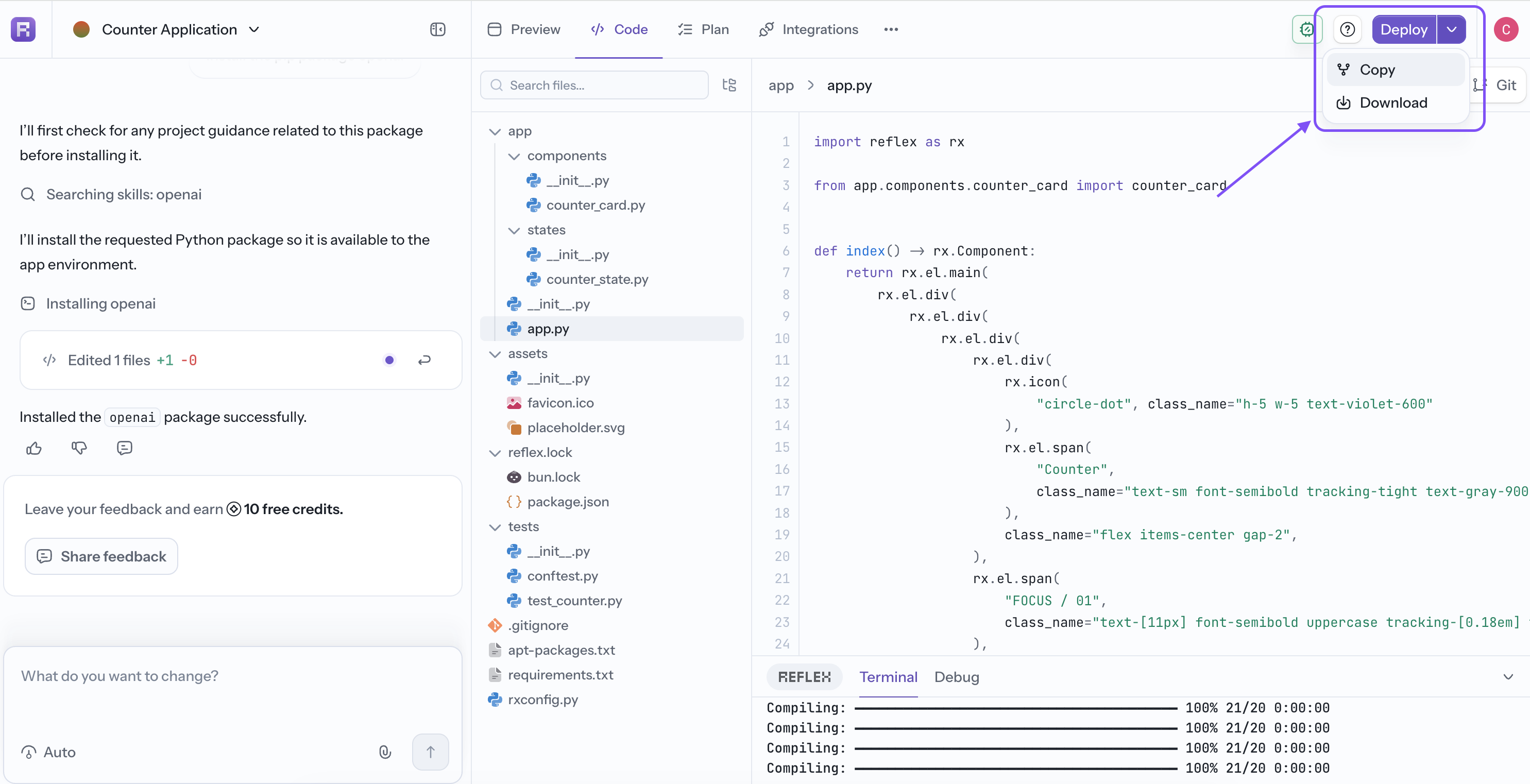
The copy includes the app's code, state, configuration, and dependencies. Changes to the copied app do not change the original app.
Review integrations, secrets, and visibility before sharing or deploying the copy. Credentials and access requirements may need to be confirmed separately.