


Images
Attach an Image as Context
Select the attachment control, drag an image into chat, or paste one from the clipboard. Describe the part of the image that matters and whether it is a visual reference, content to extract, or an existing asset to preserve.
The agent can interpret .png, .jpg, .jpeg, and .webp images as visual prompt context.
You can attach up to 5 images in one message, with a maximum size of 5 MB per image. Compress or resize larger reference images before attaching them. Other image formats can be added to the app as files, but they are not interpreted as visual prompt context.
See Images and Attachments for prompting guidance.
Add an Image to the App
For an image the running app should use, such as a logo, attach it in chat and tell the agent where it should appear. Make it clear that the image is an app asset, not only a visual reference.
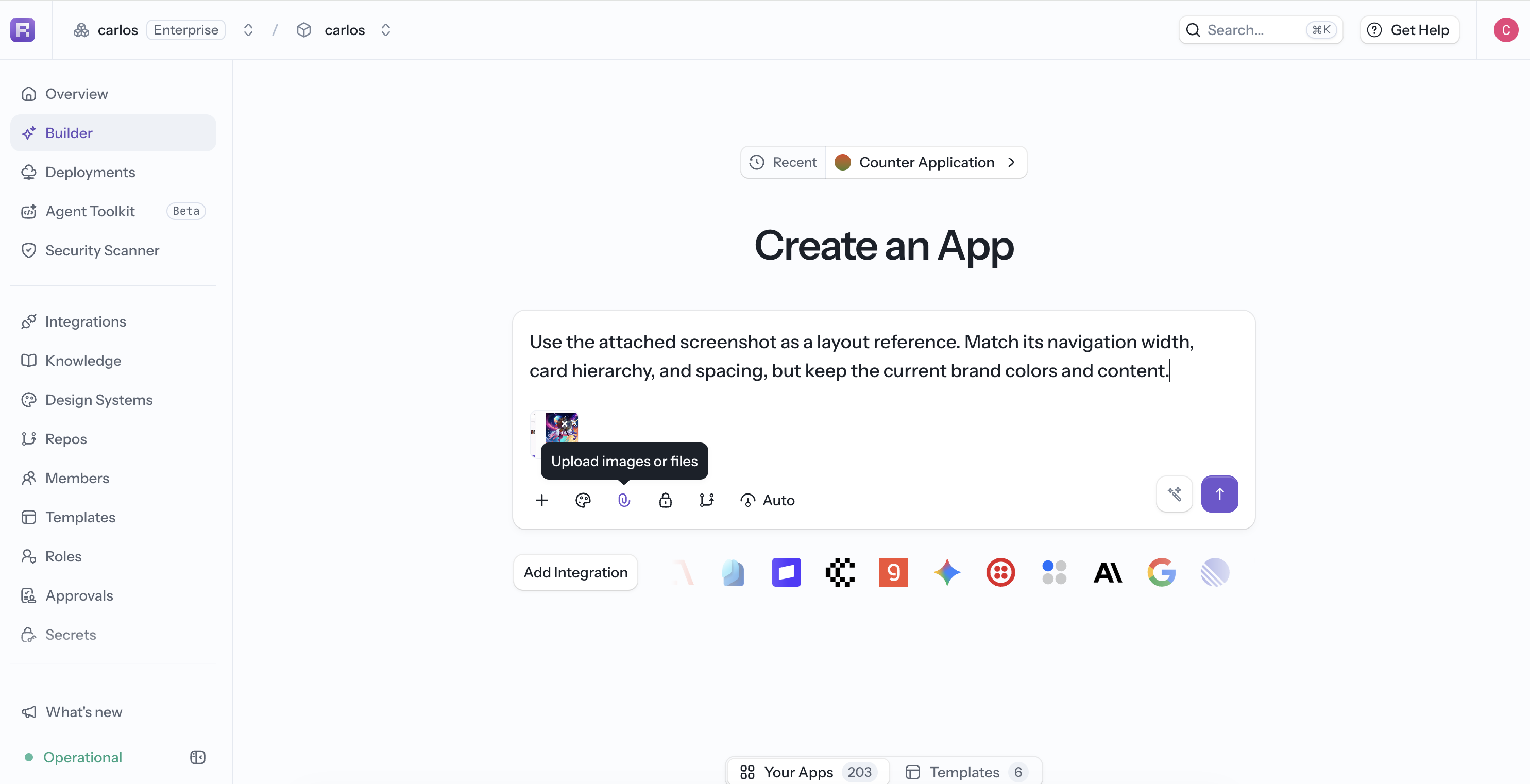
Verify the result in Preview, including its crop, aspect ratio, loading behavior, and mobile layout.
Generate an Image
Ask the agent to create an original image without leaving Reflex Build. Describe the intended size, composition, style, colors, and any space required for overlaid text. Generated images appear alongside the conversation and app changes.
See Agent Tools for examples and review guidance.