


Microsoft Entra ID Integration
The Microsoft Entra ID Integration adds user sign-in with Microsoft Entra ID (formerly Azure Active Directory) work and school accounts to your app over OpenID Connect (OIDC). Reflex Build wires the app with the Reflex Enterprise auth plugin, so pages, events, and state can require a signed-in user, and the login button reads "Continue with Microsoft Entra ID".
This card replaces the legacy Azure Auth integration. Projects that already have an Azure Auth connection keep it.
Step 1: Copy Your Redirect URIs
- In Reflex Build, open the Integrations tab and select the Microsoft Entra ID card.
- Click Add connection. The form lists the sign-in redirect URIs to register with Microsoft Entra ID: the app's preview URL followed by
/callback, plus one for each address the app is deployed to.
Keep the form open; you will fill it in after the next step.
Step 2: Register an Application in Microsoft Entra ID
- In the Microsoft Entra admin center, go to Entra ID → App registrations and click New registration.

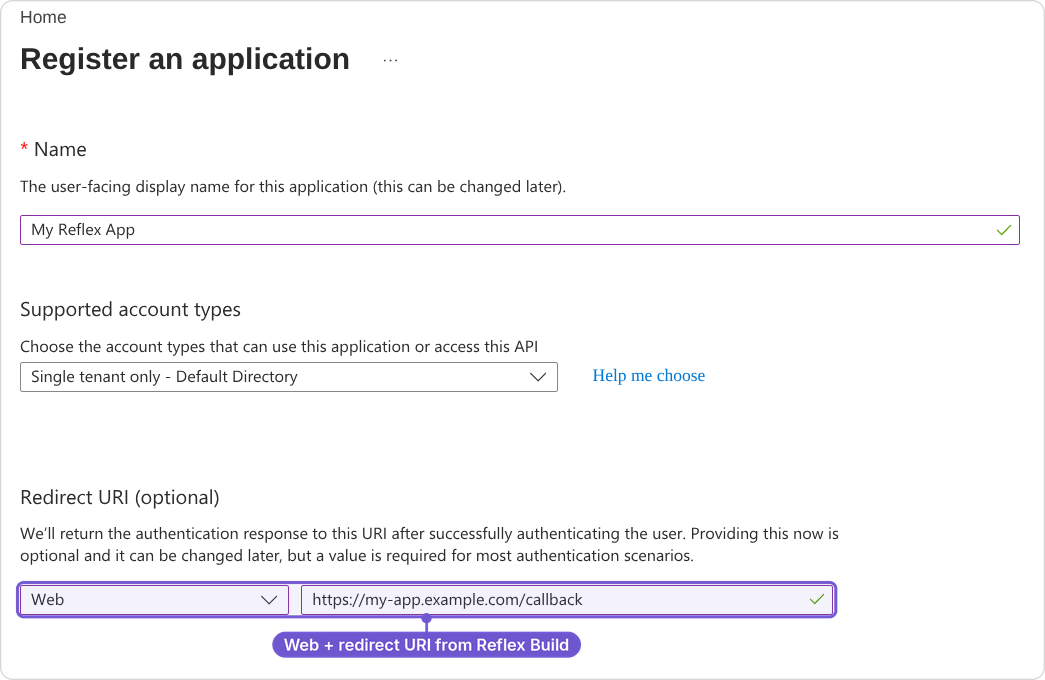
- Name the application and keep Single tenant only under Supported account types. The issuer URL in Step 3 is for a single directory, so other account types fail at sign-in.
- Under Redirect URI, select Web and enter the first redirect URI from Step 1, then click Register. Add the remaining redirect URIs under Manage → Authentication.
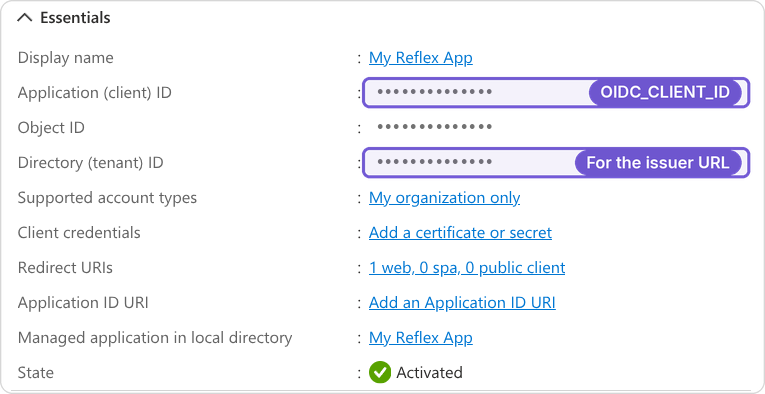
- On the Overview page, copy the Application (client) ID and the Directory (tenant) ID.
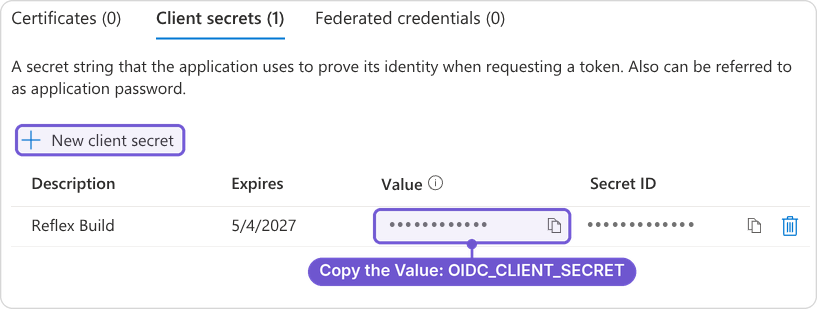
- Under Certificates & secrets → Client secrets, click New client secret, then Add, and copy its Value (not the Secret ID). It is only shown once.
Step 3: Connect in Reflex Build
Fill in the form you opened in Step 1:
- OIDC_ISSUER_URI:
https://login.microsoftonline.com/<tenant-id>/v2.0, with your Directory (tenant) ID from Step 2. - OIDC_CLIENT_ID: the client ID from Step 2.
- OIDC_CLIENT_SECRET: the client secret from Step 2.
- OIDC_EXTRA_SCOPES (optional): extra scopes to request, separated by spaces.
offline_accesskeeps users signed in after their access token expires, up to the 7-day session limit. Entra ID has nogroupsscope: add a groups claim under Token configuration instead.
Click Connect. Reflex Build fetches the issuer's discovery document (/.well-known/openid-configuration) and refuses an issuer URL that does not serve one.
Notes
- Register every redirect URI exactly: a missing or mistyped URI fails at login with
redirect_uri_mismatch. The preview URL changes when the sandbox is recreated, so register the new one if sign-in stops working. After you deploy, also registerhttps://<your-app-domain>/callback. - Scopes: the application must be allowed to request the
openid,profile, andemailscopes. - Session length: signed-in sessions last up to 7 days, then users sign in again, whatever your provider's token settings.