


Restore Checkpoint
Restore a checkpoint to return the app source to the state produced by an earlier agent message.
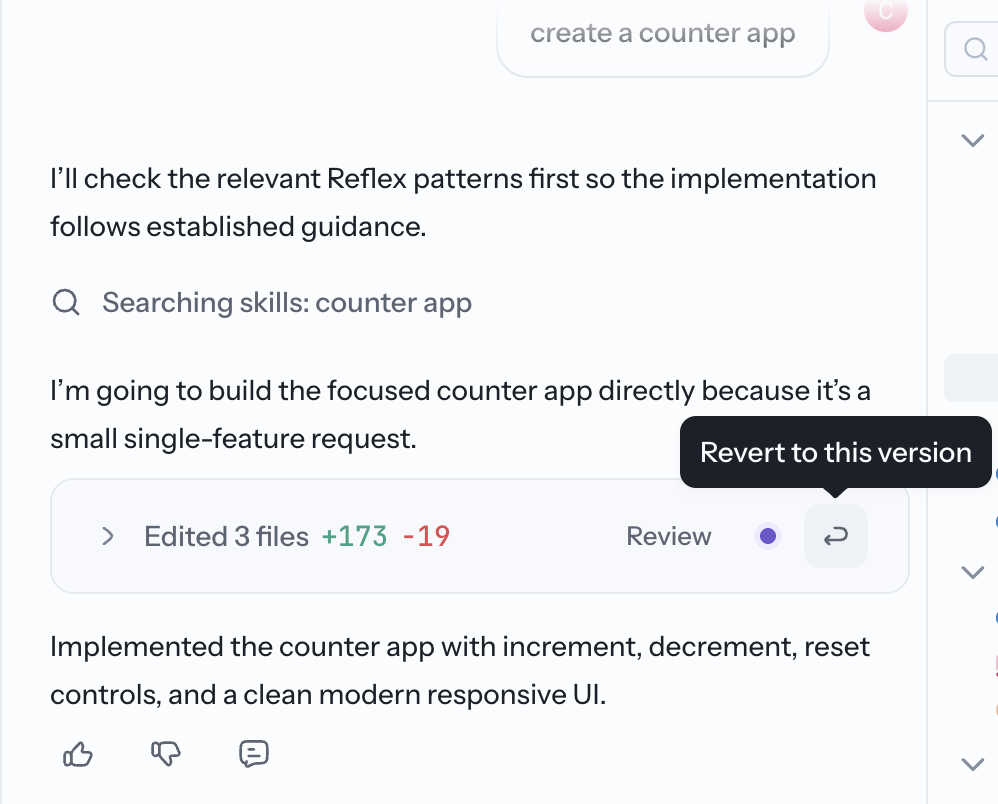
Restore an earlier state
Agent messages that change the app create checkpoints:
- Find the message that produced the state you want.
- Select its restore icon.
- Confirm the restore.
- Check the result in Preview before continuing.
The conversation remains visible, but the app source returns to the selected checkpoint. Later code changes are removed from the current app state.
When to use a checkpoint
- Return to the last working version after a generation breaks a workflow.
- Try a different implementation from a known state.
- Remove a group of recent changes without reverting files one by one.
For version history shared outside the Builder conversation, connect the app to GitHub.