


Okta Integration
The Okta Integration adds user sign-in with Okta to your app over OpenID Connect (OIDC). Reflex Build wires the app with the Reflex Enterprise auth plugin, so pages, events, and state can require a signed-in user, and the login button reads "Continue with Okta".
This card replaces the legacy Okta Auth integration. Projects that already have an Okta Auth connection keep it.
Step 1: Copy Your Redirect URIs
- In Reflex Build, open the Integrations tab and select the Okta card.
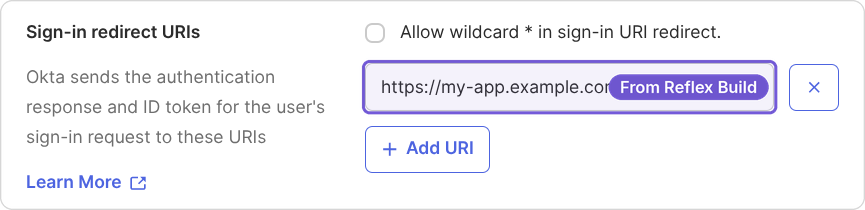
- Click Add connection. The form lists the sign-in redirect URIs to register with Okta: the app's preview URL followed by
/callback, plus one for each address the app is deployed to.
Keep the form open; you will fill it in after the next step.
Step 2: Create an Okta App Integration
- In the Okta Admin Console, go to Applications and Resources → Applications, and click Create App Integration (if asked, select Classic experience).
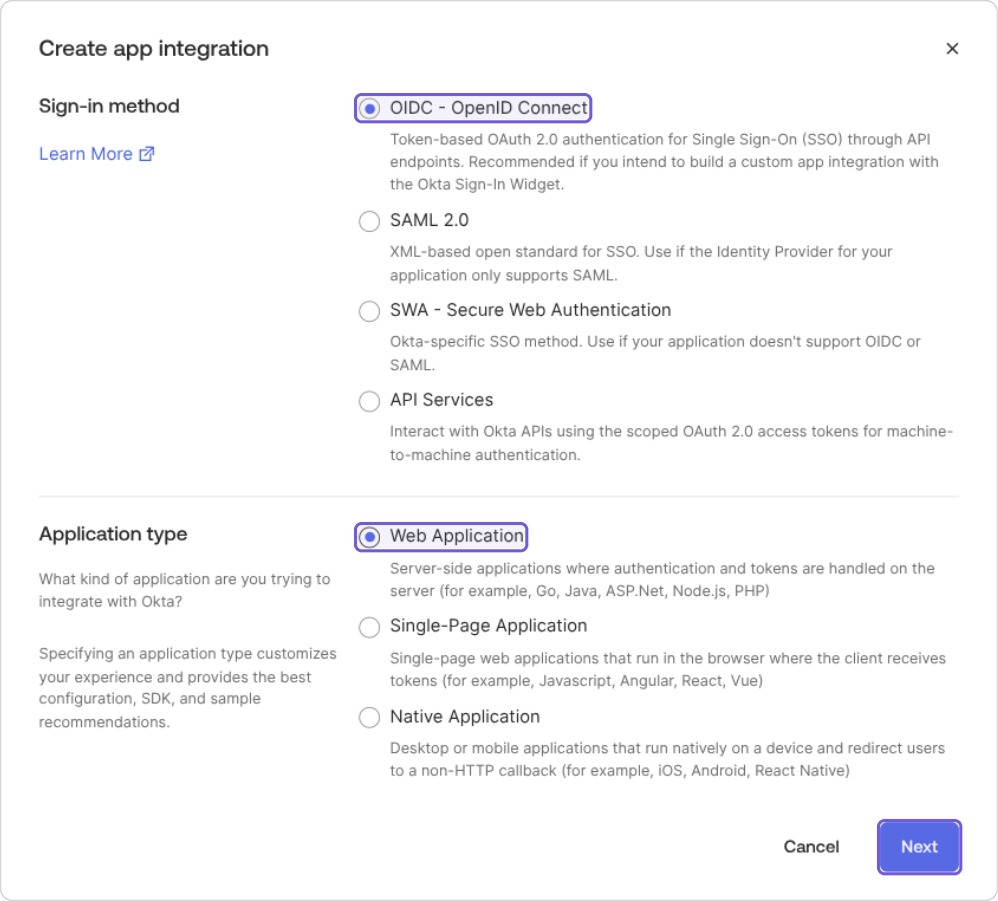
- Select OIDC - OpenID Connect as the sign-in method and Web Application as the application type, then click Next.
- Name the app integration, select Use Okta-generated client ID, and under Sign-in redirect URIs, add each redirect URI from Step 1.
- Under Assignments, choose who can sign in, then save.
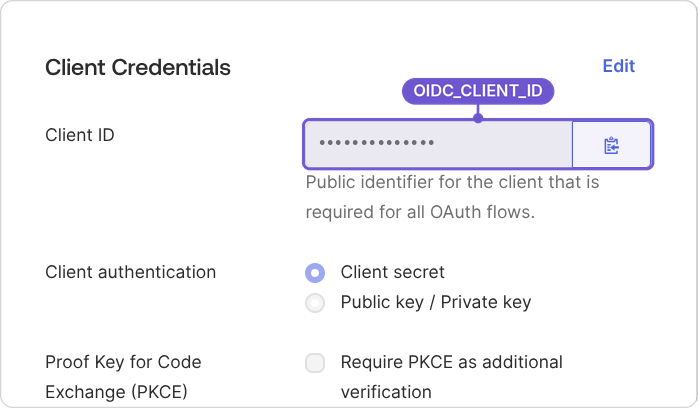
- Copy the Client ID and Client secret from the Client Credentials section of the app's General tab.
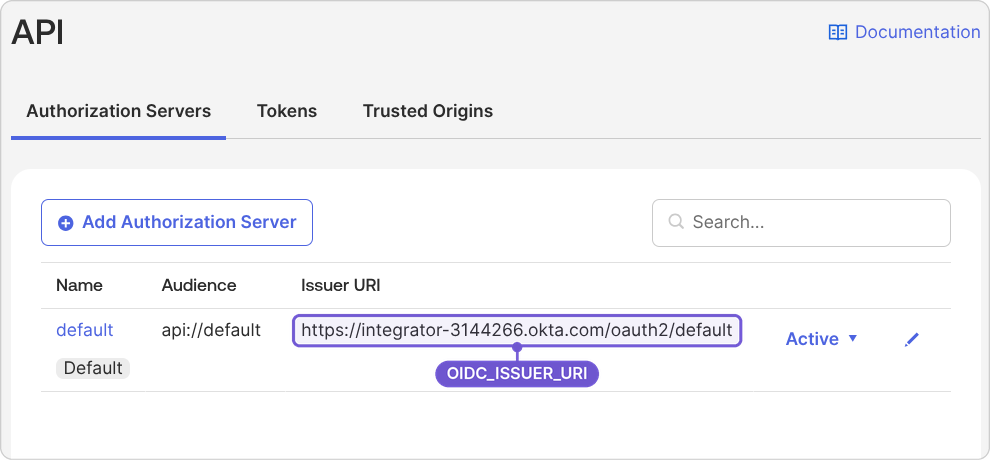
- Go to Security → API, open the Authorization Servers tab, and copy the Issuer URI of the server you use (usually default).
Step 3: Connect in Reflex Build
Fill in the form you opened in Step 1:
- OIDC_ISSUER_URI: the Issuer URI from Step 2, including the authorization server path, for example
https://your-org.okta.com/oauth2/default. - OIDC_CLIENT_ID: the client ID from Step 2.
- OIDC_CLIENT_SECRET: the client secret from Step 2.
- OIDC_EXTRA_SCOPES (optional): extra scopes to request, separated by spaces.
offline_accesskeeps users signed in after their access token expires, up to the 7-day session limit;groupsadds the user's Okta groups once you add agroupsclaim to the authorization server under Security → API → Authorization Servers → Claims.
Click Connect. Reflex Build fetches the issuer's discovery document (/.well-known/openid-configuration) and refuses an issuer URL that does not serve one.
Notes
- Register every redirect URI exactly: a missing or mistyped URI fails at login with
redirect_uri_mismatch. The preview URL changes when the sandbox is recreated, so register the new one if sign-in stops working. After you deploy, also registerhttps://<your-app-domain>/callback. - Scopes: the application must be allowed to request the
openid,profile, andemailscopes. - Session length: signed-in sessions last up to 7 days, then users sign in again, whatever your provider's token settings.