


Project Repositories
Connect a Git repository at the project level so Reflex Build can clone the code before the agent starts working. The current Repos interface supports GitHub, GitLab, Bitbucket, Azure DevOps, self-hosted Git servers, and other HTTPS Git remotes.
Use this workflow to start from an existing repository by providing its URL and a personal access token. To create and synchronize a GitHub repository for an individual Builder app through the reflex-build GitHub App, see Connecting to GitHub.
Before You Connect
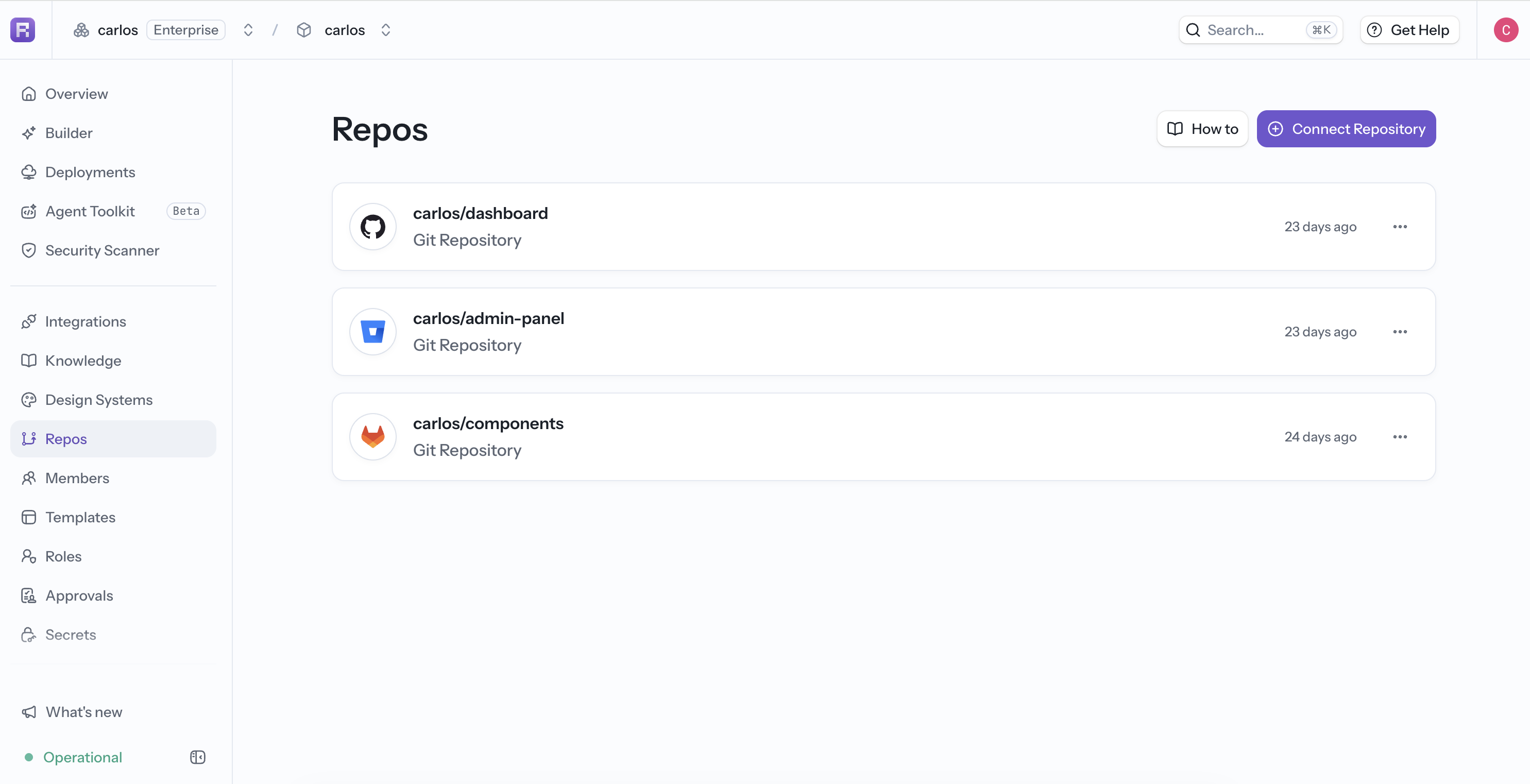
Create a credential supported by your Git provider and grant it only the repository access required by this connection. The Repos page provides provider-specific instructions. For example, use a fine-grained GitHub token limited to the selected repository with Contents: Read and write.
Use the repository's HTTPS clone URL:
https://gitlab.com/example/team-app.gitConnect the Repository
- Open Repos in the project sidebar.
- Select the provider tab and follow its token instructions.
- Select Connect Repository.
- Enter the repository URL and personal access token.
- Confirm the connection.
The repository is cloned before the agent starts, so the first prompt can work from the existing files rather than generating an unrelated app.
Security
- Prefer a dedicated, least-privilege credential over a broad account token.
- Restrict the token to the required repository and permissions.
- Rotate or revoke the token when access changes.
- Do not paste the token into a prompt or commit it to the repository.
Repository connections are controlled by project permissions. If Connect Repository is unavailable, ask a project admin to check your role and plan.