


Secrets and Environment Variables
Use environment variables for API keys, database URLs, tokens, and other values that must not be committed to source control.
Project Secrets in Reflex Build
Open Secrets in the project sidebar to add, edit, or remove project-level values. Access is controlled by project permissions:
- View secret names allows a member to see which variables exist.
- Reveal secret values allows reading stored values.
- Edit secrets allows adding and changing values.
An app can also open Secrets from its more menu to manage values for that app only. An app-level secret overrides a project secret with the same name. Store credentials in Secrets or an integration form, never in a prompt or source file.
Hosted App Secrets
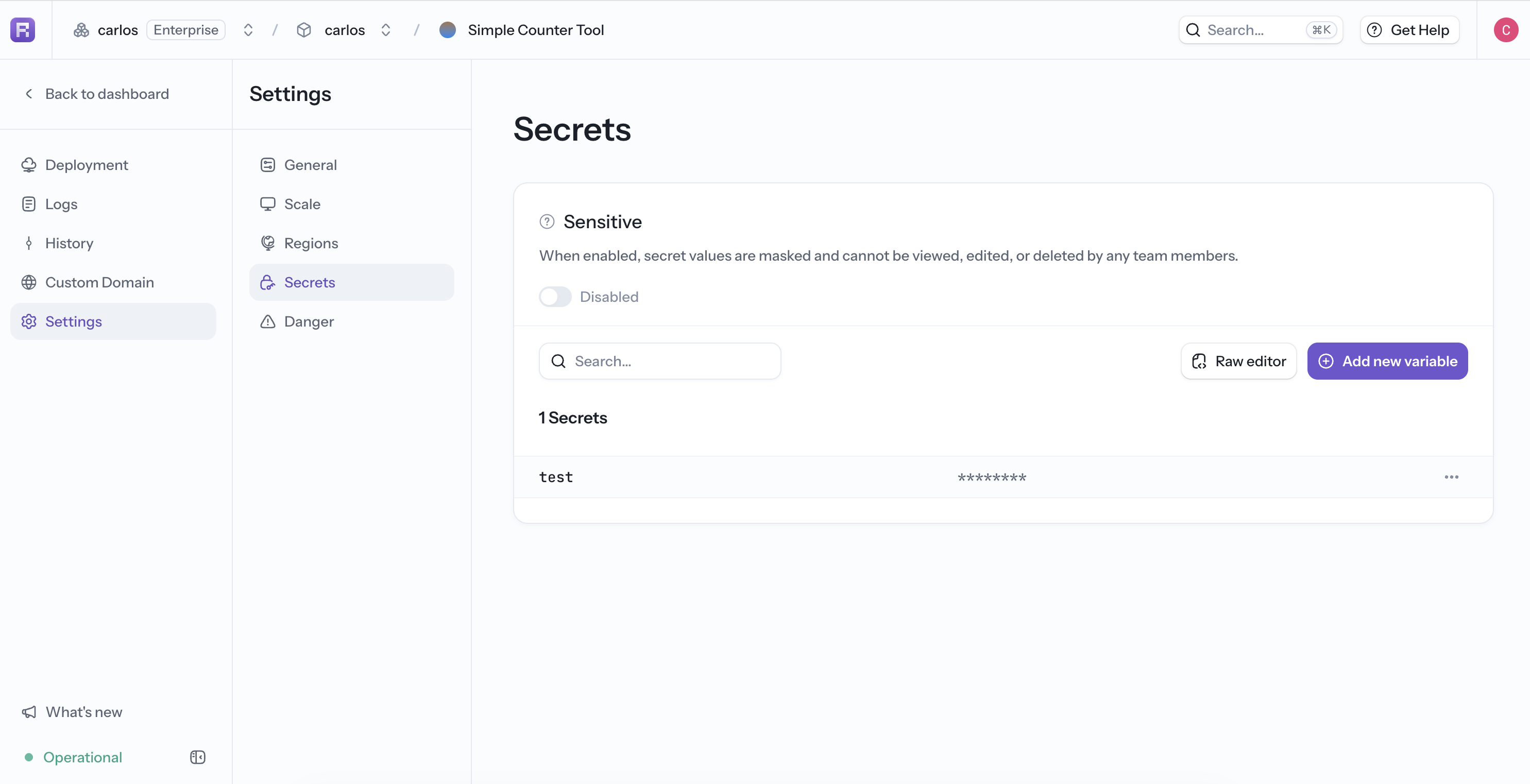
For a deployed app, open Deployments, select the app, and go to Settings > Secrets. From this page you can:
- Search existing environment-variable names.
- Add or edit one variable.
- Use Raw editor to update multiple
NAME=valueentries. - Choose whether to restart the app so a changed value takes effect immediately.
Enable Sensitive when no team member should be able to view, edit, or delete the stored values. Sensitive mode availability and who can change it depend on the organization's plan and project permissions.
Never expose a real value while preparing screenshots or support material.
Deploy with an Environment File
Pass a local environment file to the CLI:
reflex deploy --project <project-id> --envfile .envOr pass an individual value:
reflex deploy --project <project-id> --env OPENAI_API_KEY=<value>Repeat --env for multiple values. When both are provided, values from --envfile take precedence.
Read a Value in the App
Backend Python code can read a value with os.environ:
import os

database_url = os.environ["ASYNC_DB_URL"]
Some SDKs read standard names automatically, such as OPENAI_API_KEY.