Streamlit, Dash, and Reflex can all build Python dashboards with linked charts and cross-filtering. The useful comparison is how each connects data, interactions, and interface design. Streamlit offers a script-oriented workflow with fragments and caching; Dash connects component properties through callbacks; Reflex connects a React interface to Python state and event handlers so a chart selection can filter related charts and tables.
Reflex supports linked charts and cross-filtering, tables and forms, streaming chat, and model or media interfaces. Those capabilities can share a custom application layout and Python backend. For a dashboard that also needs record editing, a chat panel, or an inference workflow, evaluate the whole application rather than treating Reflex as only a way to display charts.
This comparison focuses on implementation choices. It does not rank every application by speed: data processing, network trips, rendering, caching, and deployment configuration all affect the result.
Choose by the workflow you need
| Need | Streamlit | Dash | Reflex |
|---|---|---|---|
| Analysis UI | Script-oriented UI with data widgets | Component layout and callbacks | Components, state, and event handlers |
| Linked charts | Coordinate selections through the chosen chart API and session state | Connect graph events to callback outputs | Connect chart events to shared state and derived views |
| Custom layout | Layout APIs, themes, and custom components | HTML components, CSS, and custom components | CSS, responsive layouts, and wrapped React components |
| Repeated work | Fragments, forms, and caching | Callback boundaries and caching | Event boundaries and computed state |
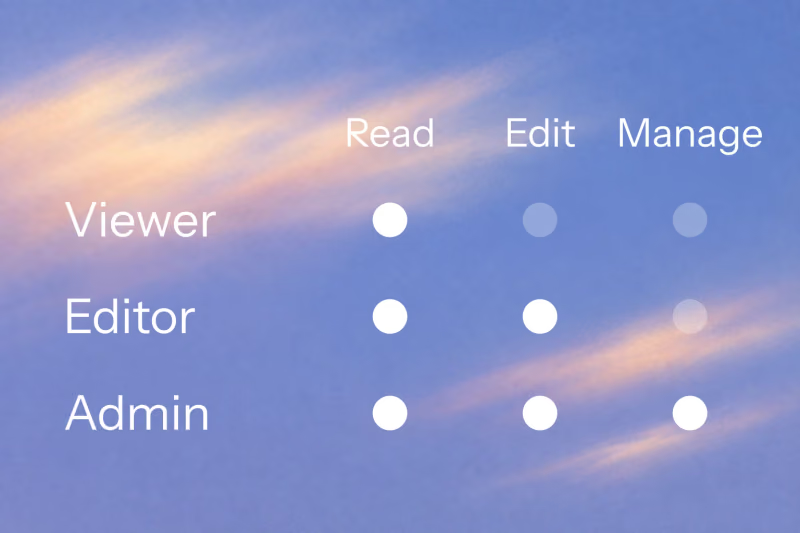
| Access control | OIDC login plus application authorization | Auth integrations or Dash Enterprise | Auth integrations or Reflex Enterprise plus application authorization |
The framework comparison hub covers broader selection questions. The sections below explain the mechanisms behind this table.
How Streamlit updates a dashboard
Streamlit normally reruns a script when a widget changes. That is a useful model for displaying analysis in execution order, but it is not the only update scope available. Fragments allow part of an app to rerun independently. Forms collect several changes before submission. Caching can avoid repeating expensive work.
For example, a filter inside a fragment can update its chart without rerunning the rest of the page. A submitted form can apply a group of filter values together. Use the appropriate boundary before concluding that an application must repeat every query on every interaction.
Streamlit uses a server thread and script threads for session execution. It does not create a separate Python interpreter for every user. Memory still depends on session data, cached resources, and the application workload. See Streamlit's threading documentation.
Streamlit also supports custom components. Assess their integration requirements when the built-in layout and widgets do not cover your design.
How Dash connects charts and controls
Dash defines a component tree and callbacks between component properties. A callback can accept multiple inputs and update multiple outputs; each connection does not require a separate function. The callback tutorial demonstrates these combinations.
Plotly graph properties expose interactions such as point selection. Dash's interactive graphing guide shows how to use those events to coordinate views. This is a useful starting point when your team already uses Plotly, but linked charts are not exclusive to Dash.
Dash also provides Dash Pages for multi-page applications. Its data-sharing guide explains browser storage, server-side sharing, and worker behavior. Concurrency depends on the server configuration and callback workload; Dash is not inherently limited to serving one user at a time.
Long callbacks can use background callback managers. Choose the manager and backing services for the deployment rather than assuming a slow calculation should occupy a web worker indefinitely.
How Reflex links charts through Python state
In Reflex, components read values from state, and events invoke Python handlers that change those values. A handler can update a selected-record set while related charts, totals, and table rows derive their data from the same selection. An ordinary event does not re-execute the entire Python page definition.
The linked XY charts tutorial provides a complete example:
- Select points in an XY scatter chart.
- Send the completed selection to a Python handler.
- Map the selected source rows to stable application record IDs.
- Filter a second XY chart and a table from that shared selection.
- Reset the selection to restore the full dataset.
The example distinguishes a cleared filter from a selection with no matching rows. That behavior matters: an empty result must not accidentally display every record. It also separates record filtering through Python state from XY's browser-side axis linking for synchronized zoom.
Reflex links dashboards through chart events and shared state. Start with the runnable example, then replace its small fixed dataset with authorized queries and bounded results. The dashboard and internal-tool guide explains how filters, record changes, and refresh behavior fit together.
Customize the dashboard and the workflow around it
Reflex gives you control over CSS styling, responsive layouts, and React component integration. You can compose a navigation shell, chart area, editable records, and a detail panel in Python. A React wrapper may need additional JavaScript or hooks for the component's particular API.
That control extends beyond analytics. A dashboard can include a streaming chat interface or a model and media workflow. The model guide includes a local prediction form and a copyable image input/output example with validation, preprocessing, preview, and download. The image example demonstrates a media pipeline; you supply a trained model when inference is required.
These examples demonstrate how to build the surrounding application. They do not imply that another framework cannot be customized. Compare the exact interaction, component support, and extension work your design requires.
Compare performance with the same workload
Execution architecture helps explain where work happens. It does not establish a universal speed ranking. A small filter, a large chart selection, a database query, and streamed model output exercise different paths.
For a useful comparison, implement the same user action and record:
- Framework versions, production settings, process counts, and hardware.
- Dataset size, displayed rows, chart traces, and cache policy.
- Browser-to-server latency and external service costs.
- Cold-load time separately from warm interaction latency.
- Median and p95 latency, errors, payload size, and memory at the intended concurrency.
Use each framework's supported optimization mechanisms, including Streamlit fragments where appropriate. Measure backend work separately from the visible result so a database bottleneck is not mistaken for a rendering problem.
Reflex can await asynchronous I/O, but synchronous I/O and CPU-heavy work can still block the backend. Background events allow work alongside other events when state-lock sections are kept short. They are not a durable job queue with guaranteed retries or restart recovery. The performance and execution guide explains these boundaries. State dependency tracking also does not automatically invalidate stale external data: the application must choose when to refresh or query it.
Authentication, deployment, and persistent data
All three frameworks need an application-specific production design. Separate identifying a user from deciding which records and operations that user may access.
Streamlit has native OIDC authentication through st.login, st.logout, and st.user. Dash documents authentication packages, including dash-auth and the authentication and authorization layer in Dash Enterprise. These are concrete options, not evidence that either framework is limited to unauthenticated demos.
Reflex supports authentication integrations, and the Reflex Enterprise authentication plugin provides OIDC integration with protected application surfaces. Enterprise capabilities and their commercial terms are separate from the open-source framework. Verify the selected provider, package, and plan for your application.
Reflex also provides database tools. Session state is not a substitute for a database: storing a selected row or a temporary prediction does not by itself make business records durable or shared between users.
For hosting, distinguish Reflex Cloud deployment from self-hosting and enterprise infrastructure arrangements. The deployment command for one target does not provision every possible VPC or on-premises environment. Test authorization, reconnects, state storage, and concurrent traffic in the configuration you intend to operate.
Try the interaction that matters to your app
Build one representative workflow before committing to a framework: select chart points, inspect the filtered records, edit a record, and refresh the chart. Add a chat or model step if that is part of the product.
For Reflex, start with the linked XY charts example and the dashboard tutorial. They provide working foundations for evaluating state updates and interface composition. Your own workload then determines the performance and deployment choices.
Written by

FAQ
Can Reflex link charts and cross-filter a dashboard like Dash?
Yes. A chart selection can update shared Reflex state, and related charts and table rows can derive their data from that selection. The linked XY charts tutorial demonstrates a scatter selection filtering a bar chart and table, including reset and empty-result behavior.
Is Dash always faster than Streamlit or Reflex?
No universal ranking follows from their execution models. Streamlit offers fragments and caching, Dash offers targeted callbacks, and Reflex offers state events and derived values. Compare equivalent workloads with the same data, cache policy, network conditions, and concurrency.
Does Streamlit rerun the whole app for every input change?
A full-script rerun is the normal model, but fragments can rerun independently and forms batch input changes until submission. Use those controls when deciding which operations need to repeat.
Does Reflex require a separate React frontend for a custom dashboard?
You can define the layout, styling, and state-connected components in Python. Reflex compiles the interface to React. Integrating a particular React library can require a wrapper and additional custom code, depending on its API.
Can a Reflex dashboard include chat or a machine learning interface?
Yes. Charts, tables, chat, forms, and model inputs can share the application. The chat tutorial and model and media guide provide implementation examples; model services, durable storage, and authorization still need to be configured for the workflow.
Is production authentication included in every framework's free core?
The options differ. Streamlit includes OIDC login support. Dash provides auth integrations and a separate Enterprise offering. Reflex supports integrations and a separate Enterprise OIDC plugin. Check the package and plan, then enforce your application's authorization rules on the backend.