How to Build a Dashboard in Python Without Writing Any JavaScript (April 2026)
Learn how to build production dashboards in pure Python without JavaScript using Reflex. Real-time updates, 60+ components, one-command deploy. April 2026.
 Tom Gotsman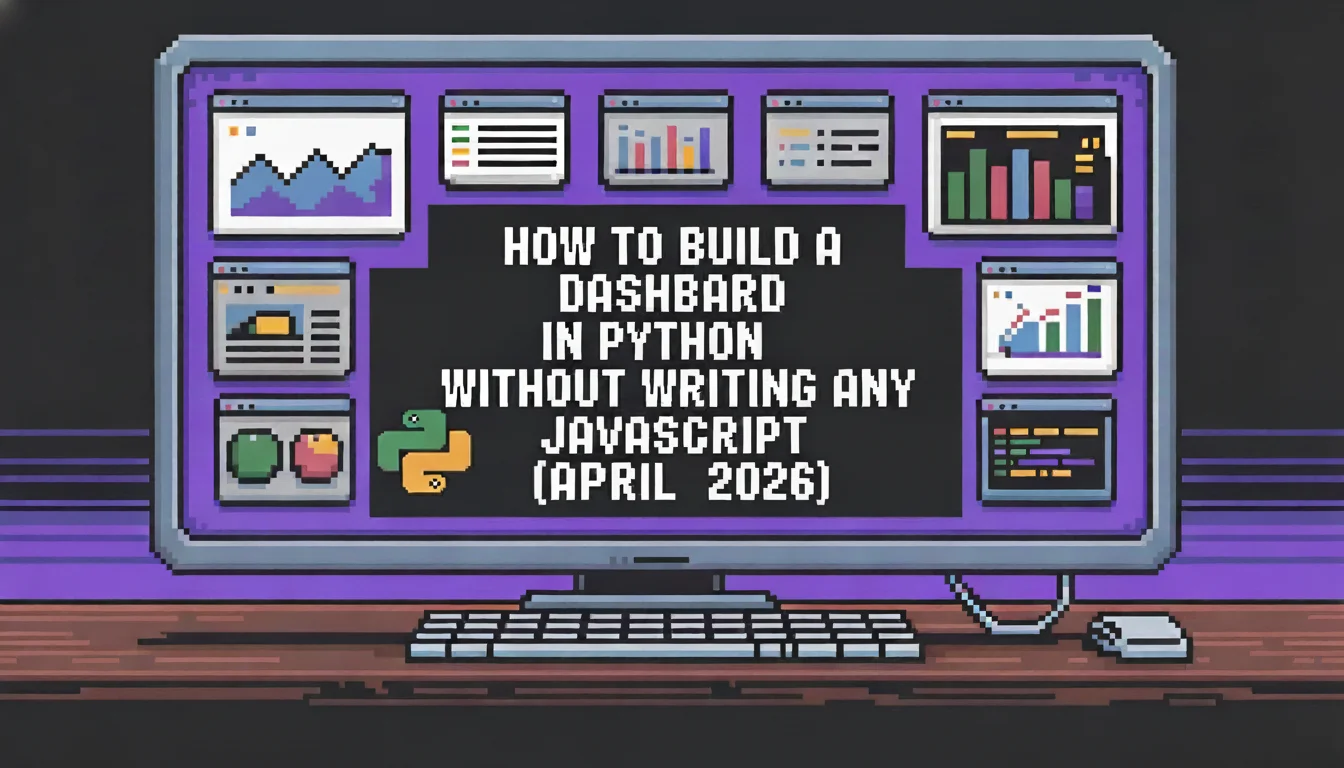
You've built the data pipeline in Python, connected to your database with SQLAlchemy, and processed everything with pandas. Now you need an interactive dashboard and suddenly you're debugging JavaScript event listeners and React components. Here's what changed: you can create dashboards in Python using Reflex where your entire stack stays in Python files you can read and debug normally. We're going to walk through building these dashboards with the same Python patterns you use for backend development.
TLDR:
- Build production dashboards in pure Python without learning JavaScript or frontend frameworks.
- Reflex provides 60+ built-in components and real-time updates using Python's yield statement.
- Deploy with one command (
reflex deploy) and maintain readable Python code instead of compiled JavaScript. - Connect to any database or API using existing Python libraries like pandas, SQLAlchemy, and requests.
- Reflex is an open-source framework that lets you build full-stack web apps entirely in Python.
What Python Developers Need to Build Dashboards
You need Python 3.10 or higher and a virtual environment. If you're writing Python applications, you already have what's required to make a dashboard in Python without touching JavaScript. The workflow mirrors what you already know. Define state using Python classes, create UI components with Python functions, and handle user interactions through event handlers. Your dashboard lives in .py files that you can read, debug, and modify using the same tools you use for data analysis or backend development.
Installation takes one command: pip install reflex. Initialize with reflex init to get a basic application structure. Run reflex run to start the development server with fast refresh. Change your code, save the file, and watch your dashboard update instantly in the browser.
State management works like Python classes you write every day. Define variables as class attributes, create methods that modify those variables, and the UI updates automatically when state changes. No Redux, no hooks, no frontend state libraries.
You compose dashboards from 60+ built-in components: charts, tables, forms, buttons, layouts. Each component accepts arguments as Python keyword parameters. Want a styled button? Pass color="blue" and size="lg". Need a data table? Pass your pandas DataFrame directly to the component.
The JavaScript Problem With Traditional Dashboard Development
Dashboard frameworks like Plotly Dash, Streamlit, and Flask require JavaScript the moment you need custom interactions. A dropdown filter that updates multiple charts? You're writing JavaScript callbacks. Custom styling beyond basic themes? CSS and potentially React components. Real-time data updates with WebSockets? Back to JavaScript event listeners.
This creates a difficult context switch. Python developers spend their time writing data pipelines, training models, and analyzing datasets. They think in pandas DataFrames, numpy arrays, and Python classes. Then dashboard requirements arrive and suddenly they're debugging React component lifecycles, managing npm dependencies, and tracing event propagation through the DOM. 46% of Python developers build web apps, yet most web dashboard frameworks still force them to learn JavaScript for anything beyond basic functionality.
Python adoption surged 7 percent from 2024 to 2025, the largest single-year jump for any major language. More developers choose Python as their primary language, yet web dashboards still demand JavaScript fluency. The table below provides a quick overview of dashboard frameworks, and how they work across five key criteria: custom interactions, advanced styling, real-time updates, state management, and deployment.
| Framework | Custom Interactions | Advanced Styling | Real-Time Updates | State Management | Deployment |
|---|---|---|---|---|---|
| Reflex | Pure Python event handlers with automatic UI updates through yield statements | Python keyword arguments for all styling, inline or component-level customization | Built-in WebSocket support through Python async/yield patterns | Python classes with automatic reactivity, computed properties with decorators | Single command deployment with reflex deploy, no build pipeline required |
| Plotly Dash | Callback decorators in Python, but complex interactions require JavaScript for custom components | Limited to CSS stylesheets and Dash-specific props, custom styling needs JavaScript | Interval components and callbacks, but custom WebSocket logic requires JavaScript | Callback-based with Input/Output decorators, state passed between callbacks | WSGI deployment to standard Python hosting, requires separate frontend build for custom components |
| Streamlit | Top-to-bottom script execution model, custom interactions require JavaScript through components | Limited theming and markdown styling, advanced customization needs custom components in JavaScript | Automatic reruns on input change, but true real-time streaming requires JavaScript workarounds | Session state dictionary, but reactive updates trigger full script reruns | Streamlit Cloud or standard Python deployment, limited control over frontend architecture |
| Flask | Requires full JavaScript frontend with AJAX calls to Flask API endpoints | Complete control but requires writing CSS and JavaScript for all interactive styling | Manual WebSocket implementation with Flask-SocketIO and JavaScript client code | Backend state only, frontend state requires JavaScript framework like React or Vue | Standard WSGI deployment for backend, separate build and deployment pipeline for frontend assets |
Building Your First Dashboard With Pure Python
Build a dashboard with Python couldn't be easier with Reflex.
Create a new file called dashboard.py and start with state. Your dashboard needs data and variables that track user interactions, so define them as a Python class.
State variables become the source of truth. When selected_metric changes, every component using that value updates automatically without manual DOM manipulation.
Build the UI by composing components in a Python function. Each component accepts keyword arguments for styling and behavior.
Run reflex run and your dashboard appears at localhost:3000. Modify the data in your state class, save the file, and watch the charts update instantly.
Adding Real-Time Updates Without addEventListener
Real-time dashboards update when data changes. In JavaScript frameworks, you'd attach event listeners, manage WebSocket connections, and manually update DOM elements. Reflex handles this through background tasks and Python's async patterns.
Background tasks run independently without blocking the UI. Decorate an async method with @rx.event(background=True) and wrap state mutations in async with self: blocks. Each mutation triggers a UI update with the current state, so your dashboard refreshes in real time while the task continues running.
The dashboard shows each update as the loop executes. Users see values change every second without you having to write WebSocket handlers or manage connection state.
Start a background task from any regular event handler by returning it as an event reference:
Multiple users viewing the same dashboard see synchronized updates when shared state changes.
Styling and Layout in Python
Every component accepts styling through keyword arguments. Pass color, padding, margin, font_size, or any CSS property as a Python parameter. Want a card with rounded corners and shadow? Write it as function arguments.
Layout comes from component nesting. Stack components vertically with rx.vstack, arrange horizontally with rx.hstack, or create grid layouts with rx.grid. Reflex includes a theming system for consistent styling across your dashboard. Responsive design works through the same keyword arguments. Pass a list of values for different screen sizes: width=["100%", "50%", "33%"] displays full-width on mobile, half-width on tablet, and third-width on desktop.
Connecting to Data Sources and APIs
Dashboards are only as good as the data they visualize. Your dashboard can pull data from databases, APIs, and external services. Import the Python libraries you already use: requests for REST APIs, pandas for data manipulation, SQLAlchemy for database connections, psycopg2 for PostgreSQL. Then, connect to a database directly in your state class. Finally, query data in event handlers using the same SQL patterns you write for data analysis.
API calls work the same way. Use requests.get() or any HTTP library, parse the response, and assign results to state variables.
Your entire PyPI ecosystem works inside dashboards. Need authentication? Use the same auth library you use in backend services. Parse CSV files? Import pandas. Connect to Snowflake or MongoDB using their Python SDKs.
Deployment Without Frontend Build Pipelines
Reflex deploys with reflex deploy. One command packages your Python application and provisions infrastructure. No webpack configuration, no build scripts, no compiled frontend assets to manage. The deployment process mirrors deploying Flask or Django applications: your Python code goes directly to production without compilation steps. CI/CD pipelines run the same command in GitHub Actions, GitLab CI, or custom automation.
Reflex Cloud handles scaling and infrastructure automatically. Organizations requiring on-premises deployment can run Reflex in their own environments using the same Python codebase.
When Pure Python Dashboards Make the Most Sense
Pure Python dashboards work best when domain expertise matters more than frontend polish. Here are a few real-world use cases where pure Python dashboards make the most sense:
- Data scientists building visualization tools for ML models don't need JavaScript expertise to show prediction outputs. Quantitative analysts creating strategy dashboards can iterate on business logic without coordinating with frontend developers.
- Finance teams building portfolio trackers, operations teams creating monitoring dashboards, and healthcare administrators managing patient data work faster when they write Python exclusively. The people who understand the business logic can build and modify the interface directly.
- Teams without dedicated frontend engineers gain immediate velocity. A three-person data team can ship production dashboards without hiring React developers or learning JavaScript tooling. Python developers already on staff handle everything from database queries to UI updates.
- Rapid prototyping scenarios favor pure Python. When stakeholders want to test ideas quickly, building in one language removes coordination overhead. Prototype in Python, gather feedback, iterate in Python, and deploy the same code to production.
Building Production-Grade Dashboards in Pure Python With Reflex
Reflex turns Python dashboards into production applications without requiring JavaScript expertise. The framework provides 60+ built-in components for charts, tables, forms, and layouts that you compose using Python functions. Authentication integrates with providers like Okta, Google, and Clerk through simple configuration. Database connections use the Python libraries you already know: SQLAlchemy, psycopg2, or MongoDB drivers. Deploy with reflex deploy to get multi-region infrastructure, monitoring, and team collaboration features. Organizations requiring on-premises deployment run the same Python codebase in their own environments.
The entire application remains readable Python code. When dashboards behave unexpectedly, engineers inspect the source code directly instead of debugging compiled JavaScript bundles. State management, business logic, and UI components live in files that Python developers can understand using the same debugging skills they apply to data analysis and backend services.
Final Thoughts on Building Dashboards With Python
You can make a dashboard in Python without touching JavaScript, and that changes who can build web interfaces. Data teams ship visualization tools directly, operations engineers create monitoring dashboards, and analysts iterate on business logic without waiting for frontend developers. See pricing details if you want to deploy to production. Your Python code goes straight from development to users.
FAQ
How long does it take to build a dashboard in Python with Reflex?
You can have a basic working dashboard running in minutes. Install with pip install reflex, initialize with reflex init, and run reflex run. Most developers build production-ready dashboards with data connections and real-time updates within a few hours, depending on complexity.
Can I use my existing Python data libraries with Reflex dashboards?
Yes, your entire PyPI ecosystem works inside Reflex dashboards. Import pandas for data manipulation, SQLAlchemy for databases, requests for APIs, or any other Python library you already use for backend development and data analysis.
What's the main difference between Reflex and Streamlit or Plotly Dash?
Reflex gives you full control over UI customization, state management, and layout using pure Python throughout, while Streamlit and Plotly Dash require JavaScript when you need custom interactions, advanced styling, or complex state management beyond their built-in capabilities.
Do I need to learn React or JavaScript to build production dashboards with Reflex?
No JavaScript knowledge required. You write everything in Python: state management, UI components, event handlers, and styling all happen through Python classes, functions, and keyword arguments that update the interface automatically.
How do I deploy a Reflex dashboard to production?
Run reflex deploy from your project directory. This single command packages your Python application and provisions infrastructure on Reflex Cloud, or you can deploy to your own environment using the same Python codebase.
More Posts
Top 7 Flask alternatives for 2026. Compare Python web frameworks for building interactive apps and websites without JavaScript.
Compare Django, Flask, and Reflex for full-stack Python development. See performance, features, and use cases for each framework in April 2026.
Streamlit vs. Dash for Python dashboards: Compare script reruns vs. callbacks, performance, and production features.