Streamlit vs. Dash for Python Dashboards: Which One Should You Actually Use? (April 2026)
Streamlit vs. Dash for Python dashboards: Compare script reruns vs. callbacks, performance, and production features.
 Tom Gotsman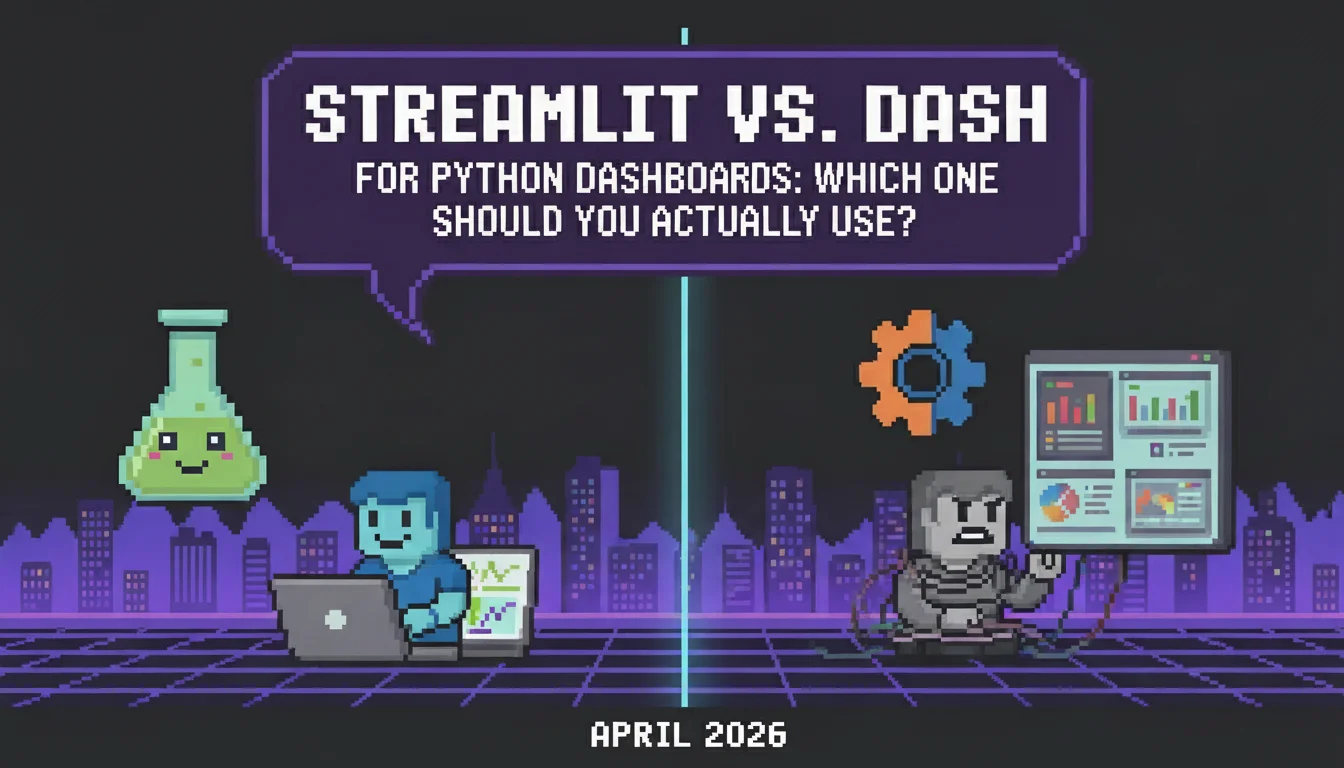
You've narrowed your Streamlit vs Dash decision down to architecture differences: script reruns versus callbacks, rapid prototyping versus fine-grained control. But here's the part that matters more than syntax: neither framework gives you what production dashboards actually need without extensive custom work. Streamlit's full reruns mean expensive operations repeat constantly unless you identify and cache them perfectly. Dash's callback model stays performant but fragments your business logic across decorated functions that become hard to track at scale. Both look clean in demos with CSV files and sample data. Then you connect to PostgreSQL, add user authentication, implement role-based access, and realize the framework only covered the UI layer. Your team is now building session management, configuring reverse proxies, and wiring background job queues because the tool that promised Python-only development still requires a full stack.
TLDR:
- Streamlit reruns your entire script on every user interaction, creating performance bottlenecks for database queries and API calls unless you manually cache operations.
- Dash requires explicit callback wiring for each component interaction, causing complexity to explode as you add connected filters, graphs, and tables.
- Neither framework includes authentication, RBAC, or production deployment features that business applications require from day one.
- Reflex provides built-in auth, RBAC, async state management, and one-command deployment with 50% less code than equivalent Dash implementations.
- Reflex is a full-stack Python framework trusted by 40% of Fortune 500 companies for building production-grade web apps entirely in Python without JavaScript.
What Streamlit Does and How It Works
Streamlit is an open-source Python framework built for data scientists and analysts who want to turn scripts into interactive web applications without learning frontend development. You write Python, add a few Streamlit commands, and get a working web interface. The framework operates on a script rerun model. Every time a user interacts with a widget (clicking a button, adjusting a slider, typing in a text box), Streamlit reruns your entire Python script from top to bottom. This approach makes the mental model simple: your script executes linearly, and the UI reflects the current state of that execution.
The rerun behavior creates challenges when scripts involve expensive operations. Loading a large dataset, training a model, or querying an external API happens again on every interaction unless you explicitly cache results. Streamlit provides @st.cache_data and @st.cache_resource decorators to prevent redundant computation, but you need to identify what should be cached and manage cache invalidation yourself.
For data that needs to persist between reruns (like form inputs or user selections), Streamlit offers st.session_state, a dictionary-like object that survives script reruns. Without this, variables reset to their initial values each time the script executes.
The framework integrates naturally with Python data libraries. Pass a Pandas DataFrame to st.dataframe(), a Matplotlib figure to st.pyplot(), or a Plotly chart to st.plotly_chart(). This makes Streamlit particularly appealing for quick data exploration dashboards and internal analytics tools.
What Dash Does and How It Works
Dash takes a different architectural approach. Built on Flask, React, and Plotly.js, Dash connects UI components to Python functions through an explicit callback system. You define which component properties trigger updates and which components receive the results. The callback model is stateless. When a user adjusts a dropdown or slider, only the callback functions tied to that specific input execute. The rest of your application stays idle. This contrasts with Streamlit's full script rerun and can be more performant when you have expensive operations that don't need to re-execute on every interaction. Each callback decorates a Python function with @app.callback, specifying Input components that trigger the function, Output components that receive return values, and optional State components that pass current values without triggering execution. A dropdown selection might trigger a callback that filters data and returns an updated graph.
The trade-off for this control is complexity. Dash requires you to think in terms of component IDs, property names, and callback chains. Building layouts means working with Python objects that represent HTML and CSS structures like html.Div and dbc.Row. You get precise control over application flow and how components display, but the learning curve steepens compared to Streamlit's linear script model.
Dash integrates tightly with Plotly's charting library, making it a natural choice for teams already invested in Plotly visualizations.
Streamlit's Script Rerun Model Creates Performance Issues
The rerun model works fine for small scripts that load a CSV and display a few charts. But when you start building real applications with database queries, API calls, or model inference, the architecture becomes a bottleneck.
Consider a dashboard that loads 500MB of time-series data from PostgreSQL and applies transformations before visualization. A user adjusts a date range filter. Streamlit reruns the entire script, re-executing the database query and transformations unless you've wrapped every expensive operation in caching decorators. Miss one uncached operation and your users wait several seconds for each interaction.
The memory model creates scaling problems. Streamlit spawns a separate Python process for each user session, holding UI state and execution context in RAM. Ten concurrent users mean ten Python interpreters running at once. With large datasets in memory, this adds up quickly. Load balancers must route users to the same server instance throughout their session, limiting horizontal scaling options and creating sticky session dependencies.
Caching helps but introduces new problems. The @st.cache_data decorator memoizes function outputs based on input parameters. Change a parameter and the cache invalidates, triggering a full recomputation.
Dash's Callback Architecture Gets Complex at Scale
Dash's callback model requires explicit wiring for every interaction. Filter a table or toggle a chart? Each needs its own decorated callback function. This precision works for simple cases, but the ceremony accumulates quickly. When you build dashboards with multiple connected components, the callback count explodes. Five dropdowns, three graphs, and two data tables can require fifteen callbacks to coordinate updates. One dropdown filters data, updates a graph, then changes options in another dropdown. Each connection needs its own decorated function. Independent framework comparisons consistently identify this complexity as a key trade-off for Dash's precise control model.
Graph recalculation blocks other operations by default since Dash runs single-threaded. Expensive calculations in one callback prevent other users from interacting with the app. You can extract the Flask server and use Gunicorn for concurrent processing, but this requires manual configuration.
Dash operates as a stateless framework, so tracking user selections across callbacks means storing them in dcc.Store components or serializing JSON into hidden div properties. These patterns function but feel like workarounds.
The callback decorator syntax splits related logic across multiple functions. Business logic that belongs together fragments into separate callbacks triggered by different component interactions. Multi-page applications need extra configuration beyond the core framework.
Authentication, Deployment, and Production Readiness Gaps
Neither Streamlit nor Dash ships ready for production business applications. Both frameworks require additional work to meet basic enterprise requirements that teams expect from day one:
- Authentication needs external solutions in both tools. Streamlit requires third-party integrations or reverse proxy configurations. Dash follows the same pattern. Teams spend days wiring OAuth providers, session management, and user databases that have no framework support.
- Deployment differs between paid and free versions. Dash Enterprise provides horizontally scalable hosting and built-in authentication, but open-source Dash requires external DevOps resources to stand up infrastructure. Streamlit Community Cloud handles simple deployments but lacks the security controls and access management that business applications need.
- Role-based access control doesn't exist in either framework. Database connections require external libraries like SQLAlchemy. Background job processing needs separate implementation with Celery or similar tools. The frameworks assume you'll build these capabilities yourself or purchase enterprise versions that bundle them.
- Data science teams building internal dashboards hit these gaps immediately. The tool that takes ten minutes to prototype takes weeks to deploy securely because authentication, user management, and security features require custom integration work.
Reflex Gives You Production-Ready Python Dashboards Without the Trade-Offs
Reflex, though, replaces the script rerun and callback patterns with a declarative state model. You define application state in Python classes, write event handlers as class methods, and the framework tracks dependencies automatically. When state changes, only affected components update through WebSocket synchronization. No full script reruns. No manual callback wiring.
The architecture runs on an async FastAPI backend that handles concurrent requests without blocking. Multiple users interact with different dashboards at the same time, each with isolated state. Database queries in one user's session don't slow down another's view.
Authentication comes built into the framework. Connect Clerk, Google Auth, Azure, or any OpenID Connect provider with a few lines of configuration. RBAC controls which team members access which data and features. The ORM handles database connections and migrations. Background jobs process async tasks without external task queues.
Deployment takes one command: reflex deploy. Applications go to Reflex Cloud infrastructure, your VPC for compliance requirements, or on-premises environments where finance, healthcare, and government teams need full control. Finance teams run trading dashboards. Healthcare organizations manage patient data. Government agencies deploy internal tools.
Teams building equivalent dashboards report approximately 50% less code compared to Dash implementations. The class-based structure stays organized as applications grow. The framework includes 60+ components and wraps any React library in pure Python when you need custom functionality.
Streamlit vs Dash vs Reflex: Complete Comparison
| Feature | Streamlit | Dash | Reflex |
|---|---|---|---|
| Architecture Model | Full script rerun on every interaction. Entire Python script executes top-to-bottom when users click buttons, adjust sliders, or modify inputs. | Stateless callback system. Explicit decorator-based callbacks connect UI components to Python functions that execute only when triggered. | Declarative state model with automatic dependency tracking. WebSocket synchronization updates only affected components when state changes. |
| Performance Characteristics | Requires manual caching with @st.cache_data decorators to prevent expensive operations from re-executing. Memory intensive with separate Python process per user session. | Executes only specific callbacks tied to changed inputs. Single-threaded by default, requiring Gunicorn configuration for concurrent user support. | Async FastAPI backend handles concurrent requests without blocking. Multiple users interact simultaneously with isolated state and no performance interference. |
| State Management | st.session_state dictionary persists data between script reruns. Variables reset to initial values without explicit session state storage. | Stateless design requires dcc.Store components or JSON serialization into hidden div properties to track user selections across callbacks. | Python class-based state management with automatic persistence. Event handlers as class methods maintain organized logic as applications scale. |
| Production Features | No built-in authentication or RBAC. Requires third-party integrations or reverse proxy configurations for OAuth and user management. | No built-in authentication or RBAC in open-source version. Database connections and background jobs need external libraries like SQLAlchemy and Celery. | Built-in authentication with Clerk, Google Auth, Azure, and OpenID Connect providers. Includes RBAC, ORM for database operations, and background job processing. |
| Deployment Options | Streamlit Community Cloud for simple deployments lacking business security controls. Enterprise deployments require external DevOps configuration. | Open-source version needs manual infrastructure setup. Dash Enterprise provides managed hosting and authentication but requires paid license. | One-command deployment with reflex deploy to Reflex Cloud, private VPC for compliance, or on-premises for finance, healthcare, and government requirements. |
| Ideal Use Cases | Rapid prototyping and internal data exploration dashboards. Quick demonstrations with CSV files and sample datasets where performance isn't critical. | Complex dashboards with multiple connected components requiring precise control over update flow. Teams heavily invested in Plotly visualizations. | Production-grade business applications requiring authentication, RBAC, concurrent users, and enterprise deployment. Dashboards that need to scale without architectural rewrites. |
Final Thoughts on Building Python Dashboards
The whole Streamlit vs Dash comparison becomes less relevant once you see what modern Python frameworks can do. Reflex removes the architectural problems both tools create while keeping Python as your only language. You get declarative state, built-in auth, and deployment that actually works for business applications. Check pricing to start building production-ready dashboards today.
FAQ
Which tool is better for rapid prototyping: Streamlit or Dash?
Streamlit wins for rapid prototyping because you write linear Python scripts without worrying about callbacks or component IDs. Add a few commands like st.dataframe() or st.pyplot(), and you get a working interface in minutes. Dash requires explicit callback setup and layout construction with Python objects, which slows down initial development. Reflex sits in a middle ground: you get a clean Python-only development experience like Streamlit, but the declarative state model scales into production without architectural rewrites, so your prototype doesn't become throwaway code.
What are the main performance differences between Streamlit and Dash?
Streamlit reruns your entire script on every user interaction unless you add caching, which creates performance bottlenecks for expensive operations. Dash executes only the specific callbacks tied to changed inputs, making it more performant by default. However, Dash runs single-threaded out of the box, so expensive calculations in one callback block other users unless you manually configure concurrent processing with Gunicorn. Reflex handles this differently: its async FastAPI backend processes concurrent requests without blocking, so multiple users can interact simultaneously without performance interference and without manual server configuration.
How does Streamlit's caching work, and when does it cause problems?
Streamlit's @st.cache_data and @st.cache_resource decorators memoize function outputs based on input parameters to avoid redundant computation during script reruns. The cache invalidates whenever parameters change, triggering full recomputation. You need to identify which operations to cache and manage cache invalidation yourself, which becomes complex as applications grow. Reflex avoids this problem entirely: its dependency tracking updates only the components affected by a state change, so you're not manually identifying what to cache or worrying about stale data.
When should I choose Dash over Streamlit for a dashboard project?
Choose Dash when you need precise control over application flow, have multiple connected components that update independently, or already use Plotly visualizations heavily. Dash's stateless callback architecture works better for complex dashboards where only specific sections need to update based on user interactions, avoiding Streamlit's full script reruns. That said, if your dashboard needs to grow into a production application with authentication and concurrent users, Reflex gives you that same component-level control through its state model without the callback wiring complexity.
Do Streamlit or Dash include built-in authentication and deployment for production apps?
Neither framework ships with production-ready authentication or secure deployment out of the box. Both require third-party integrations or reverse proxy configurations for OAuth and session management. Streamlit Community Cloud handles simple deployments but lacks business security controls, while open-source Dash needs external DevOps work. Paid enterprise versions like Dash Enterprise bundle these features but require additional investment. Reflex includes authentication with Clerk, Google Auth, Azure, and OpenID Connect providers, plus RBAC and one-command deployment to Reflex Cloud, a private VPC, or on-premises environments, all without a separate enterprise license.
More Posts
Compare Django, Flask, and Reflex for full-stack Python development. See performance, features, and use cases for each framework in April 2026.
What 'enterprise-ready' really means for AI app builders: security, compliance, deployment options, RBAC, and maintainable code.

Set up your environment, build UI in Python, manage state, connect a database, and deploy with Reflex—full-stack web apps without writing JavaScript.