



Build Python Admin Panels and Internal Tools: A Complete Guide
Learn how to create complete admin panels with forms, tables, authentication, and business process automation using Python alone—without switching to JavaScript.
Tom Gotsman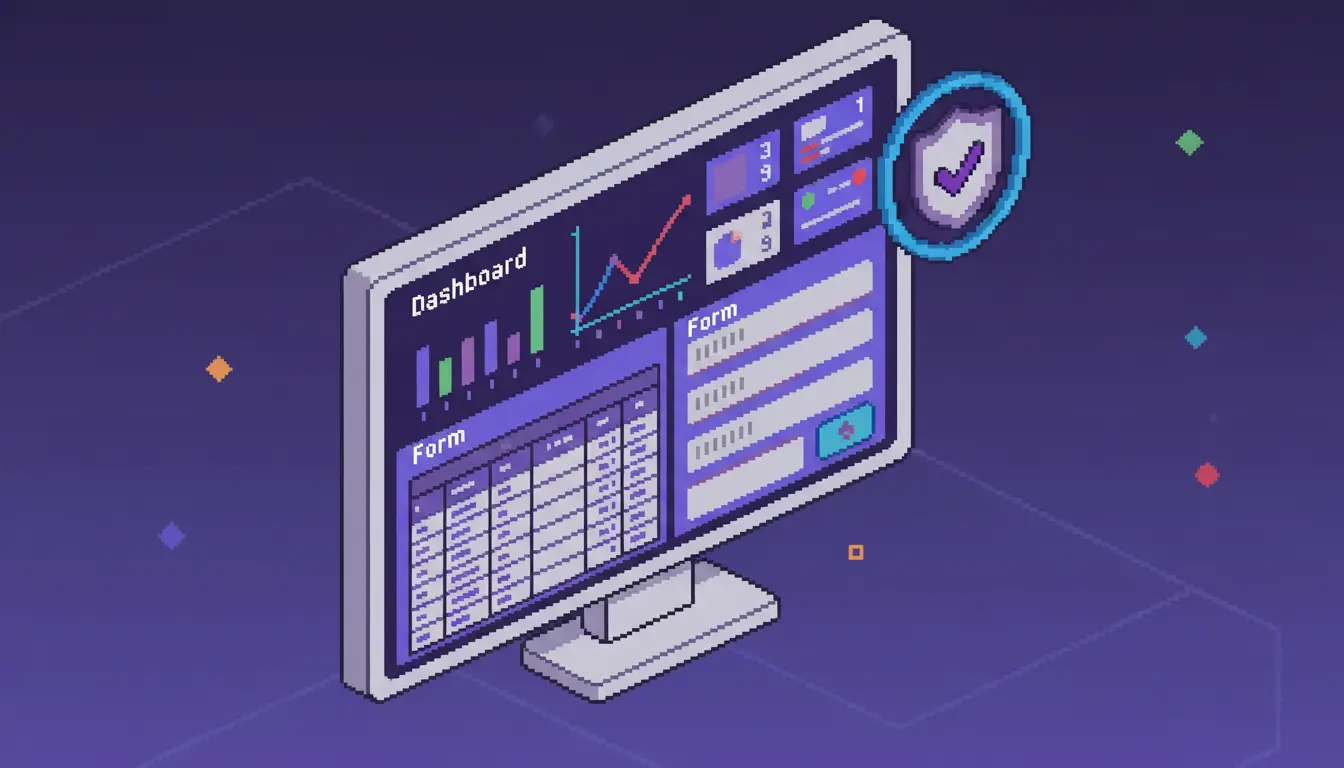
Most Python developers hit the same wall when building internal tools. You finish the backend logic, then face rebuilding the interface in a JavaScript framework you'd rather avoid. Now you can build approval workflows in Python and skip the context switching. We'll show you how to create complete admin panels with forms, tables, authentication, and business process automation using Python alone.
TLDR:
- Python admin panels require four core components: data tables, forms, authentication, and dashboards
- Full-stack Python frameworks let you build complete web apps in one language without JavaScript
- Connect to any database using Python's standard libraries like psycopg2, sqlite3, or mysql-connector
- Deploy with single-command deployment to cloud providers or self-host on your own infrastructure
- Reflex builds production-grade admin panels entirely in Python with 60+ components and role-based access control
Python excels at backend logic, data processing, and ML models, which makes it the natural choice for internal tools that connect to existing data pipelines. Internal tools like employee portals and approval workflows need web interfaces, while admin panels require forms, tables, and authentication.
Traditionally, this meant writing business logic in Python, then rebuilding the same features in JavaScript frameworks like React. Full-stack Python frameworks eliminate this split workflow, letting you build complete web applications using one language across your entire stack.
Reflex (Full-Stack Python)
- Languages: Python only for both frontend and backend logic
- Workflow: Write all code in a single Python file with unified state management and UI components
- Learning curve: Minimal — use existing Python knowledge without learning JavaScript frameworks
- Database: Direct connection using standard Python libraries like psycopg2, sqlite3, or mysql-connector
- Deployment: Single-command deployment with
reflex deployor easy deployment to local cloud infrastructure
React + Python Backend
- Languages: JavaScript/TypeScript for frontend, Python for backend API
- Workflow: Build backend API endpoints in Python, then rebuild same features in React components with separate state management
- Learning curve: Steep — requires proficiency in both Python and modern JavaScript ecosystem including npm, webpack, and React patterns
- Database: Backend connects to database, frontend makes API calls to retrieve data with additional serialization layer
- Deployment: Separate deployment for frontend bundle and backend server with CORS configuration
Django Admin
- Languages: Python with Django template language and limited JavaScript for customization
- Workflow: Configure admin through Python model definitions and admin classes with template overrides for custom interfaces
- Learning curve: Moderate — Django-specific patterns and ORM required, limited flexibility for custom workflows
- Database: Built-in ORM with database migrations and model-based queries
- Deployment: Standard Django deployment using WSGI servers like Gunicorn with static file serving
Low-Code Platforms
- Languages: Tool-specific configuration with limited Python for custom logic
- Workflow: Visual builders and drag-and-drop interfaces with scripting for complex requirements
- Learning curve: Low initially but hits ceiling when customization needs exceed the tool's capabilities
- Database: Vendor-provided connectors with lock-in for data access patterns
- Deployment: Vendor-managed hosting with limited control over infrastructure and scaling
Every admin panel requires four building blocks:
- tables that display and filter records,
- forms that capture and validate input,
- authentication that restricts access by role, and
- dashboards that surface key metrics.
Data tables let users sort by any column and filter to specific criteria. Forms validate input before saving to your database. Authentication verifies identity while access control determines what each role can view or modify. Dashboards answer daily questions with charts, summary cards, and status indicators before users need to run reports.
Start with Python 3.10 or higher installed on your system. Check your version by running python --version in your terminal.
Create a virtual environment to isolate project dependencies:
Install Reflex using pip:
Initialize a new project:
This creates a single Python file for frontend and backend. Your state management, UI components, and business logic all live together.
Run your development server with reflex run to see changes instantly.
Here's how to build a functioning employee portal. Start with your data model that manages employee records and handles database operations:
Build a sortable data table to display records:
Add a search input that filters results in real time as users type.
State management in Reflex uses Python class patterns. Define state variables as class attributes, write functions that modify them, and the UI updates automatically when state changes.
Event handlers are Python functions triggered by user actions like button clicks or form submissions:
The yield statement updates your interface before the function completes, showing loading indicators without JavaScript promises or async patterns.
Connect event handlers to components using on_click or on_submit parameters. State changes propagate instantly to every component referencing those variables.
Reflex applications connect to any database using Python's standard database libraries. For PostgreSQL, install psycopg2 and create a connection in your state class. SQLite works with Python's built-in sqlite3 module, while MySQL uses mysql-connector-python with similar syntax.
Third-party API integration follows the same pattern. Install requests or your API's Python SDK, then call endpoints from event handlers. Store API credentials in environment variables and load them using os.getenv() to keep secrets out of your codebase.
Session management in Python relies on cookies to track authenticated users. After successful login, store encrypted session tokens in cookies and verify them on each request. Python's secrets module generates cryptographically secure tokens. RBAC determines user access levels. Define roles in your state class and verify permissions before displaying components or processing actions:
Reflex works with enterprise SSO providers through their Python SDKs. For Okta or Azure AD, install the provider's library, configure OAuth flows in state handlers, and store returned tokens. These providers manage password policies and multi-factor authentication while your application receives verified user identity and role claims.
Approval workflows route requests through multiple reviewers based on business rules. In HR portal systems, a time-off request might need manager approval for short absences but require both manager and director approval for extended vacations. Purchase orders under $1,000 go to one approver, while higher amounts need finance review.
Model approval states as enums and store workflow history in your database:
Send notifications through Python's email libraries or messaging APIs. Track approvals by storing timestamps and user IDs with each status change.
Python web apps deploy to any hosting provider that supports Python. Cloud providers like AWS, Google Cloud, and Azure run Reflex apps using standard Python deployment patterns. Self-hosting requires a server with Python 3.10+ and Node.js for frontend compilation. But here's how Reflex makes deployment so much easier:
Reflex Cloud offers single-command deployment with reflex deploy. Multi-region deployment reduces latency for distributed teams, while built-in monitoring surfaces performance metrics and error alerts.
CI/CD integration connects deployment to version control. GitHub Actions can build and deploy on every commit, while GitLab CI runs deployment commands after tests pass. Custom pipelines work with any CI system that executes shell commands.
Environment variables store database credentials and API keys without hardcoding secrets. Load variables using os.getenv() and set them through your hosting provider's dashboard or deployment configuration files.
VPC deployment keeps applications inside your corporate network, supporting on-premises hosting for compliance-focused industries requiring data sovereignty and compliance controls.
Reflex combines the patterns covered in this guide within a single framework. The employee portal code, approval workflows, and data connections you've seen all work without switching between Python and JavaScript. The 60+ components cover tables, forms, charts, and authentication UI that internal tools require.
Reflex Build, Reflex's AI App Builder, generates Python applications from text descriptions of your admin panel requirements. Review the generated code and modify it using the same patterns shown earlier. The output remains readable Python.
For industries with compliance needs, an on-premise deployment keeps applications inside your network while VPC options connect to existing data sources. RBAC controls restrict access by role through Python code that security teams can audit.
You don't need separate frontend and backend teams when you build internal tools in Python from end to end. The code examples here show how far you can get with tables, forms, and workflows in one language. Start small with a simple admin panel and expand as your needs grow.
More Posts

Set up your environment, build UI in Python, manage state, connect a database, and deploy with Reflex—full-stack web apps without writing JavaScript.
Tom Gotsman
A comprehensive comparison of Reflex, Django, Flask, Gradio, Streamlit, Dash, and FastAPI—the top Python web frameworks in 2026 for full-stack and data apps.
Tom Gotsman
Compare Reflex.build, Microsoft Power Apps, Superblocks, Blaze.tech, Knack, Lovable.dev, and Replit Agent for enterprise AI app development in 2026.
Tom Gotsman